I am creating a WireGuard server and client configurations. I followed different YouTube tutorials but whatever tweaks I do still they don’t meet.
I want to run the server on a windows and client from a MacBook and also tried it in my iPhone. configured my wifi and share it according to tutorials, I also configured my router but still I can’t make the two meet.
What seems to be the problem?
Here are my last configurations I did
Server
[Interface]

PrivateKey = <server private key here>
ListenPort = 51820
Address = 10.20.10.1/24

[Peer]
PublicKey = <Public key of client>
AllowedIPs = 10.20.10.2/32
Client
[Interface]
PrivateKey = <client private key here>
Address = 10.20.10.2/32
DNS = 8.8.8.8, 1.1.1.1

[Peer]
PublicKey = <public key of server here>
AllowedIPs = 0.0.0.0/0
Endpoint = <my public IP here>:51820
Router
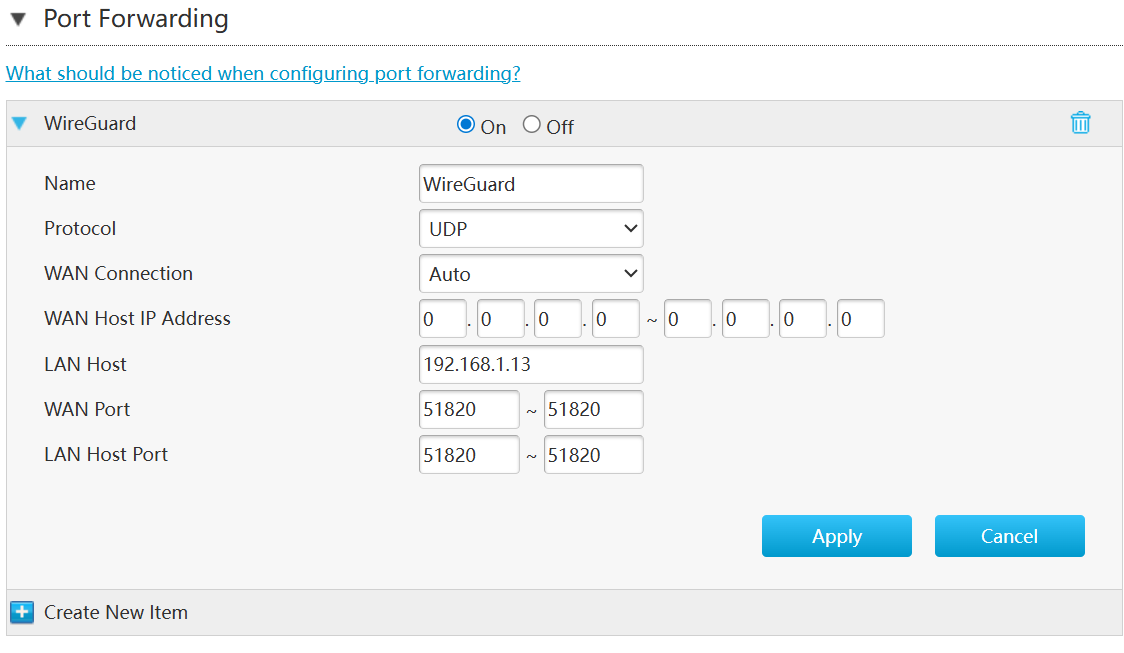
ZTE
Name: WireGuard
Protocol: UDP
WAN Connection: Auto
WAN Host IP Address: 0.0.0.0 ~ 0.0.0.0
LAN Host: 192.168.1.13
WAN Port: 5120 ~ 51820
LAN Host Port: 5120 ~ 51820
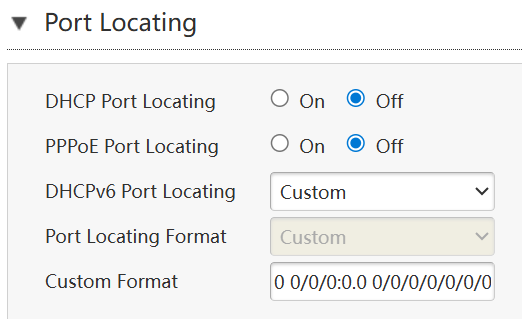
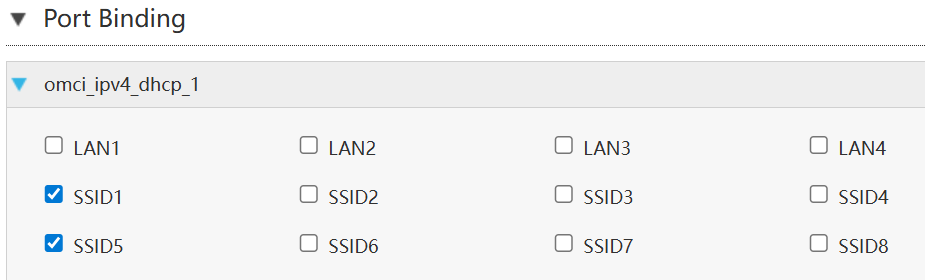
I attached my router’s UI because I feel it weird that WAN host IP address those ports have “~”.
Am I missing something. But I can see there’s also a Port Binding and Port Locating. Are they part of the configuration?