I have a .docx file (which is actually a zip archive with docx extension) which is too big, and I want to make it smaller. To understand what takes so much space, I browsed the insides of it, and this is what I found.
At the “root” level of the zip archive (INSIDE the the docx document, the actual content of the file):

In the “word” folder:
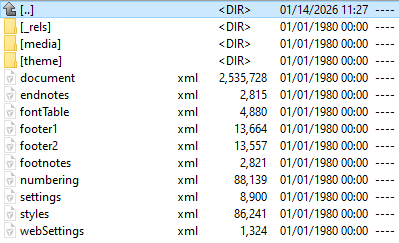
In the “media” folder:
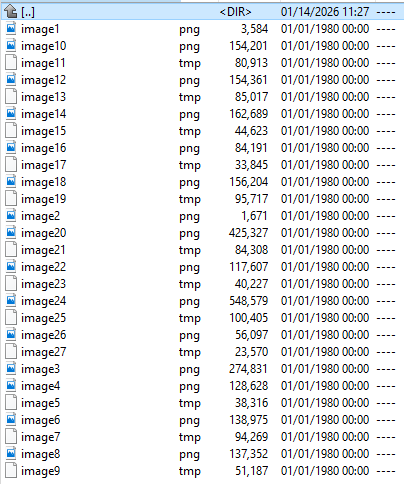
I am not sure if all those .tmp files are useful or not, but they surely take quite a lot of space. The content inside seems to be PNG data (similar to the other proper .png files in the same folder) – and therefore not really zip-compressible.
On the internet I found advice how to make the file smaller by not embedding fonts or by converting embedded objects to pictures or to compress the pictures and other similar stuff. When I searched for “tmp files”, I got info about the “normal” temporary files, which are out of scope.
I also saved the document from within Word (with Save As), and the file became slightly bigger, with the above-mentioned tmp files still present.
So, any ideas what to do next? Optimization ideas? How to get rid of the automatically saved junk (if any)?
