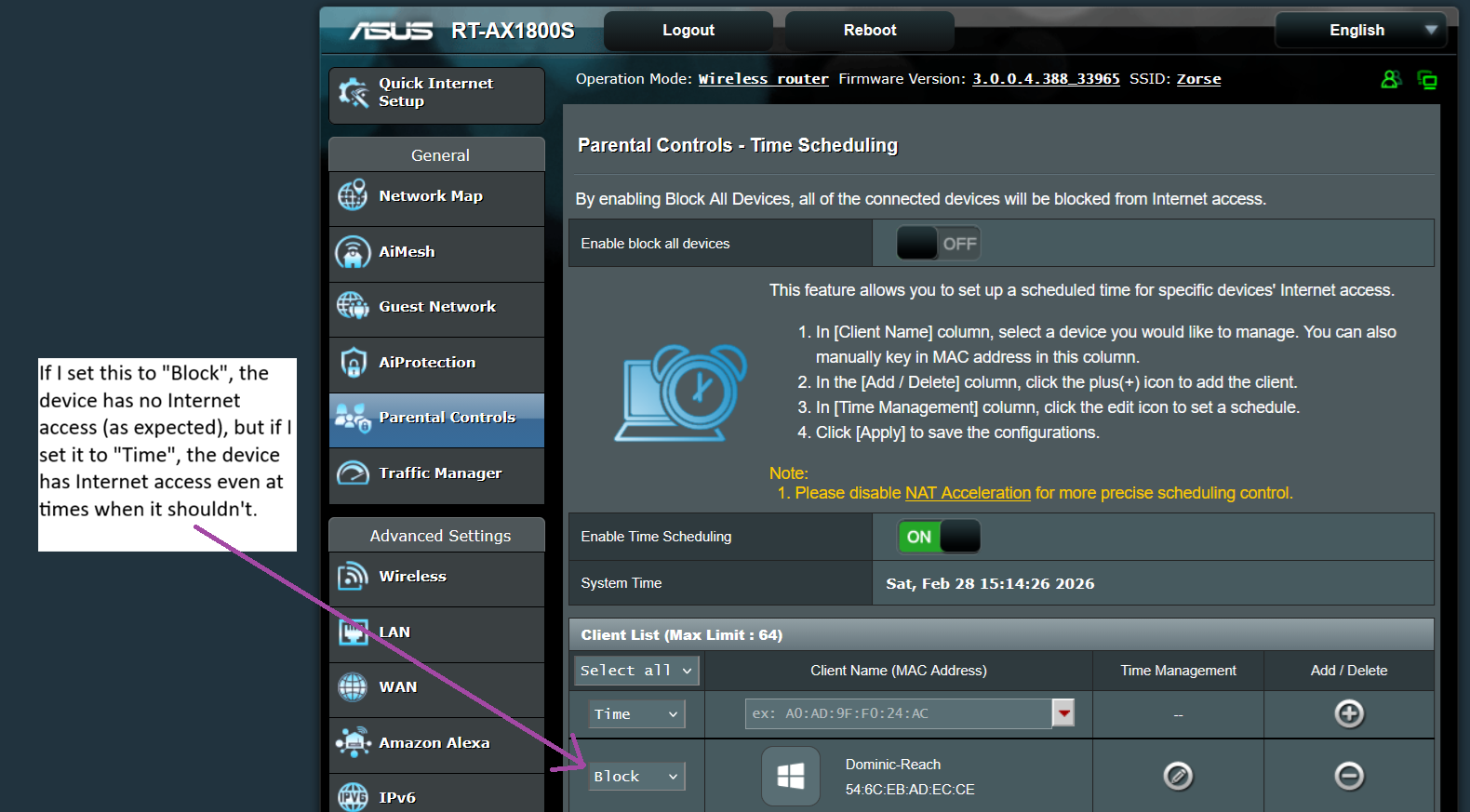
I bought a new Asus RT-AX1800S. In the parental controls section, you can configure the times at which a given device has access to the Internet – but it doesn’t work. The device has access to the Internet at all times regardless of that setting. Does anyone know a work-around?
The bug occurs with the current firmware, but also with the oldest firmware available on their website, which is from October 2024.
I have already done the following:
-
check the time or time zone: even an all-day exclusion has no effect
-
restart the router
-
upgrade the firmware
-
reset the router to factory defaults
-
replace the router with the same brand
-
the bug occurs regardless of whether the device is on a guest network
-
check the MAC address and IP address. They are correct: see the attached image.
-
also, I am confident that I know how to do it, because I successfully set this up with my Asus AX4500, which had an almost identical administration interface.