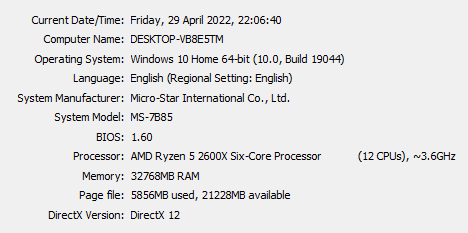
I’m on a PC running Windows 10 22H2 on a home LAN segment. About two weeks ago, users on this machine stopped being able to user their browser (Firefox, Chromium) and mail client (Thunderbird). The reported problem is name resolution:
This site can’t be reached:
somewhere.com‘s server IP address could not be found.
and similar messages from other apps. However, other machines on the network (running Windows 11) connect to servers and browse the web just fine. I also started a command shell (cmd.exe), and used nslookup to look up various servers’ named addresses; the lookup result seems fine (i.e. I checked against lookups on other machines; and against one or two servers I know with a fixed IP).
I then tried to use the numeric IPs I was getting. Most of them “failed”, in the sense that I was getting messages that browsing using numeric IPs is not allowed (damn it, why?!) . Pinging the hosts I look up works, for the most part (not all hosts answer pings), as does a ping of the DNS server.
I set up an SSH tunnel to another machine using putty (-D option); and when I tell, say, Firefox, to use that as a proxy server – I can browse fine.
My question: What could cause this failure to resolve names by browsers and other apps, while nslookup works? And – how can I fix this problem?
Notes:
- The machine is connected via Ethernet to a router provided by the ISP.
- DNS over HTTP is “status: off” with “Default protection”
- The Windows Firewall is off.