Skip to content
Rubin Shrestha
  • Rubin Shrestha
  • Profile
  • Blog
  • Nepali Typing
  • Contact
  • Search
Rubin Shrestha
  • Search
  • Rubin Shrestha
  • Profile
  • Blog
  • Nepali Typing
  • Contact
Home » Blog » Microsoft Edge Add-On Site Loads, Immediately Disappears
Blog

Microsoft Edge Add-On Site Loads, Immediately Disappears

by Rubin|Published May 7, 2026

I’m trying to get to the Microsoft Edge Add-On/Extensions page (https://microsoftedge.microsoft.com/addons/Microsoft-Edge-Extensions-Home?hl=en-US)

it loads… then seems to immediately disappear. I’ve tried disabling all of my Extensions, and that didn’t do anything.

Any ideas? I need to get to it so that I can get a Browser integration with a piece of software.
You may also like

Published June 15, 2021

Adding entry to Windows 10 boot menu

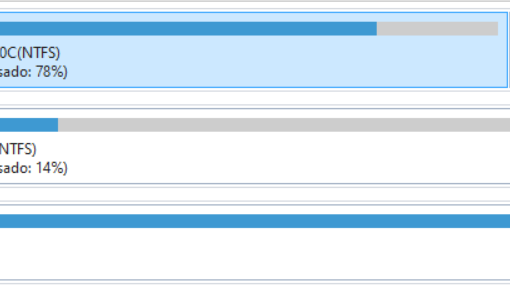
I have a laptop with a main SSD drive with Windows 10 (Disco 2 in the below screenshot) and a secondary hdd […]

magento2 admin page 404 error
Published November 18, 2025

magento2 admin page 404 error

I am Patrick and a super beginner. my Magento2 admin page shows a 404 error(whoops, our bad…). windows 10, xampp 3.2.4, php […]

Running php bin/magento setup:upgrade caused magento 2 app to crash
Published November 3, 2022

Running php bin/magento setup:upgrade caused magento 2 app to crash

I originally was facing an issue of not being able to save any configurations on my magento application, and a user on […]

Published July 7, 2021

Build a Website with React and Tailwind CSS

This tutorial shows how to create a product website using React and Tailwind CSS. We’ll cover how to set up React with […]

Interesting

  • Why Magento Integrations Fail and How to Solve It
  • Hyva Custom Stock product page
  • Magento 2 – Add product to cart error – 503 Service Unavailable (from prefetch cache)
  • Microsoft Edge Add-On Site Loads, Immediately Disappears
  • In Slack: how can I make the “apply” button available again when pasting Markdown-formatted text?
  • What is the excel formula to disguise the name
  • Can I filter uBlock Origin’s logger by filter list?
  • How can I set the default language for a new application in macOS?

Post navigation

  • Previous post In Slack: how can I make the “apply” button available again when pasting Markdown-formatted text?
  • Back to post list
  • Next post Magento 2 – Add product to cart error – 503 Service Unavailable (from prefetch cache)
——————-
  • Why Magento Integrations Fail and How to Solve It
  • Hyva Custom Stock product page
  • Magento 2 – Add product to cart error – 503 Service Unavailable (from prefetch cache)
  • Microsoft Edge Add-On Site Loads, Immediately Disappears
  • In Slack: how can I make the “apply” button available again when pasting Markdown-formatted text?
——————-
  • Rubin Shrestha
  • Profile
  • Blog
  • Nepali Typing
  • Contact
——————-
  • Blog
  • Contact
  • Nepali Typing | Nepali Unicode | English to Nepali | English Conversion | English Translate | नेपाली to English | नेपाली टाईपिङ
  • Occasional Photography
    • The desert that everybody loves in pictures
  • Photography
  • Rubin Shrestha

© 2026 Rubin Shrestha – All rights reserved

Powered by WP – Designed with the Customizr theme