I need to connect 17 devices (based on Raspberry Pi Zero 2 W’s) to my desktop computer via a 2.4 gHz mobile hotspot. The Windows default is to allow 8 connections.
I found these instructions on how to increase the number of connected devices here on Super User, but it is for older versions of Windows.
I followed them, specifically adding a dword with a decimal value of 24 to HKEY_LOCAL_MACHINE\SYSTEM\CurrentControlSet\Services\icssvc\Settings.
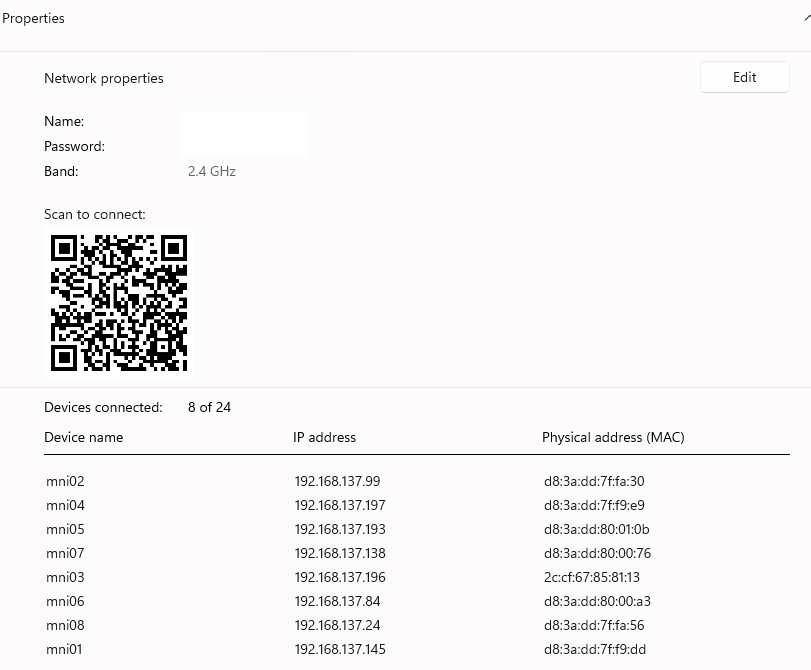
While this increases the number of connections Windows says can be connected, only 8 devices actually connect (see attached image — all 17 devices are active). Does anyone know how to make this work in Windows 11?
And for what it’s worth, I really need this to run through a Windows hotspot as I am unable to connect these devices directly to the network here at work.
Screenshot showing 24 possible connections but only 8 connected devices: