I wiped Windows from my computer and switched to Linux, but I now want to sideboot a small Windows instance on a secondary drive. My problem arises in the installation, where before opening the setup screen my Windows Installer errors out with the following
File: EFIMicrosoftBootBCD
Status: 0xc000014c
Info: The Boot Configuration Data for your PC is missing or contains errors.
When looking up the problem, every fix I could find tells you to enter Windows’ “Repair your computer” mode and type “BOOTREC /FIXMBR”, “BOOTREC /FIXBOOT”, and “BOOTREC /REBUILDBCD”, in System Recovery Options => Command Prompt. However, this is only accessible after the point at which my installation stops working, so I cannot use it. Is there any substitute for this I could run from my Ubuntu setup? Or a way I could manually do what these commands cause?
I installed the Installer on a USB formatted with Ventoy 1.1.18 for linux (.x86_64, not .aarch64), with the installer being the “Windows11_Client_x64_en-us_26300_9457” iso from the third option found in https://www.microsoft.com/en-us/software-download/windows11. When booting the installer, I use the “normal boot” option
Ventoy’s EFI partition’s file system uses the path VTOYEFI/EFI/BOOT/ where Windows expects EFIWindowsBootBCD, though I cannot tell if BCD is meant to be a directory or a file as Ventoy’s boot folder doesn’t contain a file named BCD nor any subdirectories
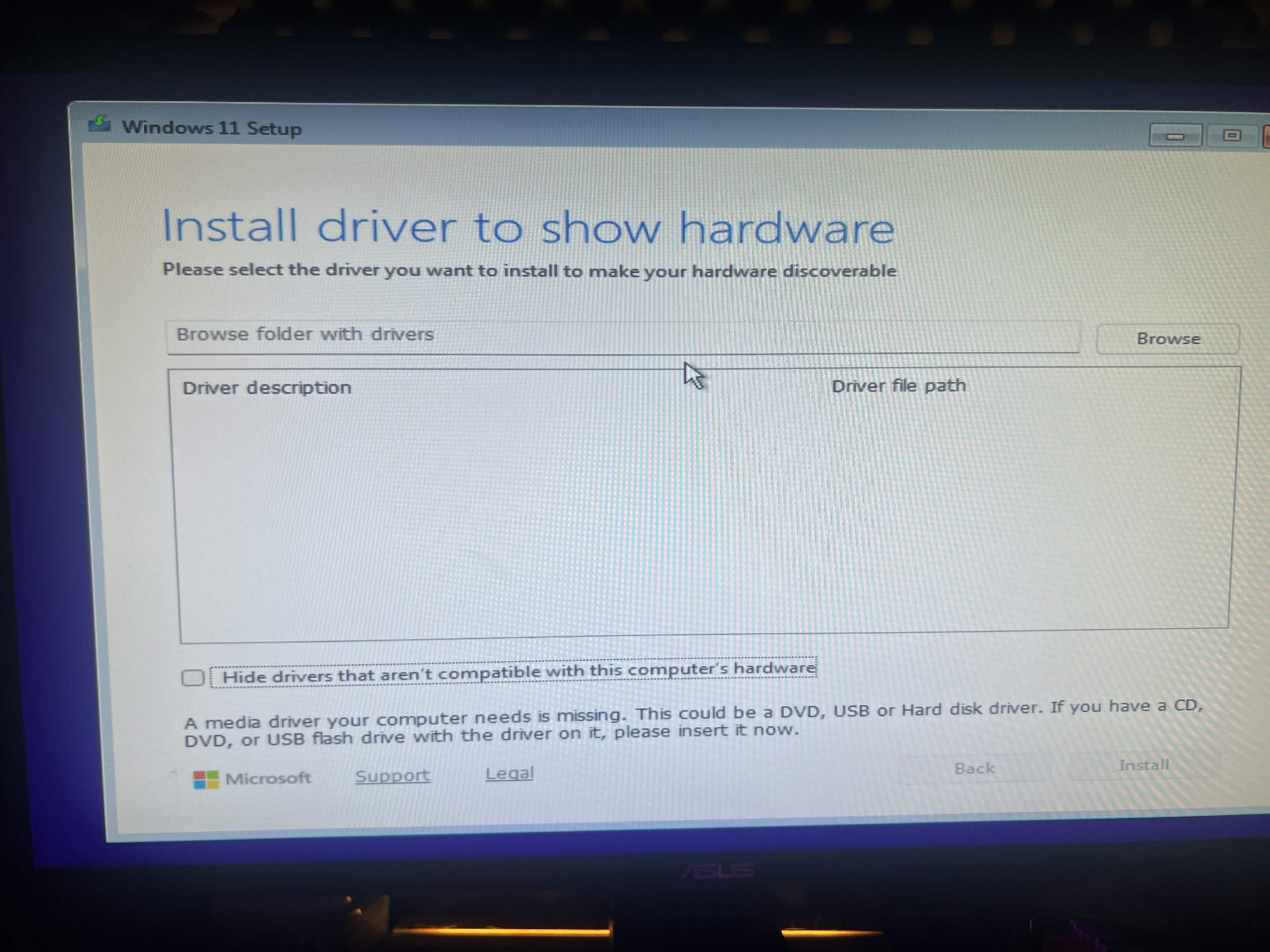
My Ventoy installation has no plugins installed except the preinstalled Ventoy plugin. I have been unable to figure out how to run the Windows 11 MediaCreationTool.exe, and unable to find any resources explaining it. Running the “wimboot” option on the installer takes me to the pictured screen, which is a dead-end:
I have tried installation on an MBR partition style and a GPT partition style, both failed the same.
