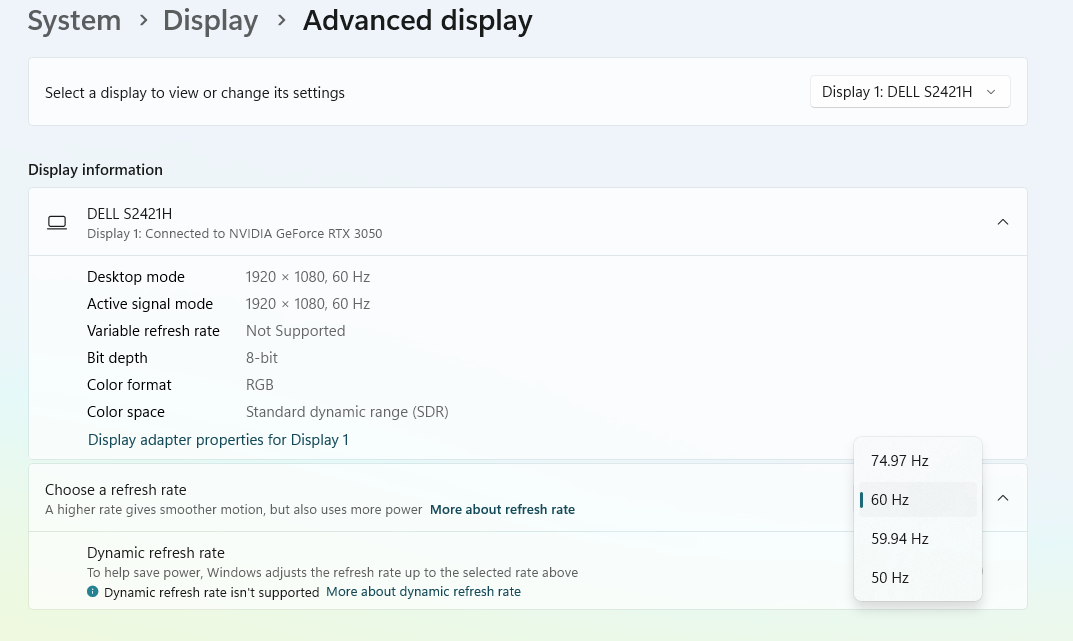
I’m using a Full HD monitor which supports 50Hz, 60Hz and 75Hz refresh rates for 1920×1080 resolution, on Windows 11.
I play one game at 75Hz, some at 60Hz and another game at 50Hz with Vsync on (unfortunately the games I play don’t seem to affect refresh rate in in-game settings). But it’s tedious to change refresh rates by the default Windows 11 way. Need many clicks to reach there.
I prefer built-in solutions in Windows 11, so I found a solution which involves creating a shortcut withms-settings:display-advanced but that doesn’t seem to actually open advanced settings. It would have saved a few clicks if it worked properly.
Now it seems hard without any third party tool, so next I read a couple of answers on QRes and creating a script with it. I don’t have any experience about writing these scripts and .bat files.
I might compromise and use QRes even though it’s third party tool, but I would still like to know if it’s still safe and reliable to use? And most importantly, does it need to run in the background all the time? I don’t prefer something that needs to run in background or something that I need to manually close each time.
If QRes meets these requirements, I would also like to know how to use it efficiently (this is probably where I would need to create a script, which I don’t know how) so I can quickly switch to any of the three refresh rates.
Any other built-in solutions are also welcome that allow me do same but quickly.