I’ve seen a question on here about fixing the taskbar but I’m not sure if this is expected behavior or not. I want it to behave like the OSX taskbar: shows when I am in that activation zone, hides if I click something or move the mouse outside the activation zone.
I play games in windowed mode and the taskbar is a constant source of annoyance. I move the mouse into that area and it pops up and stays popped up even if I move it back out.
I’ve restarted the Explorer process, that didn’t work.
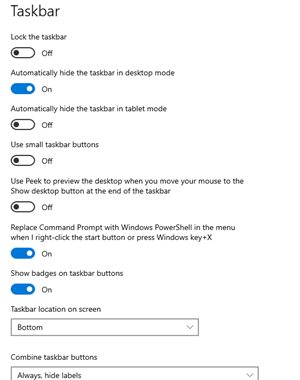 .
.
