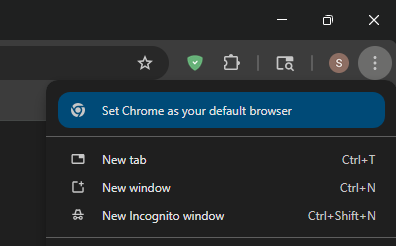
When I open the customize menu (⋮) in the top-right corner of Google Chrome, there is a notice to “Set Chrome as your default browser”. I occasionally use Chrome, but I don’t want it as my default. My PC runs Chrome 146.0.7680.178 on Windows 11.
How do I get rid of this notice? (Outside of changing my default browser)