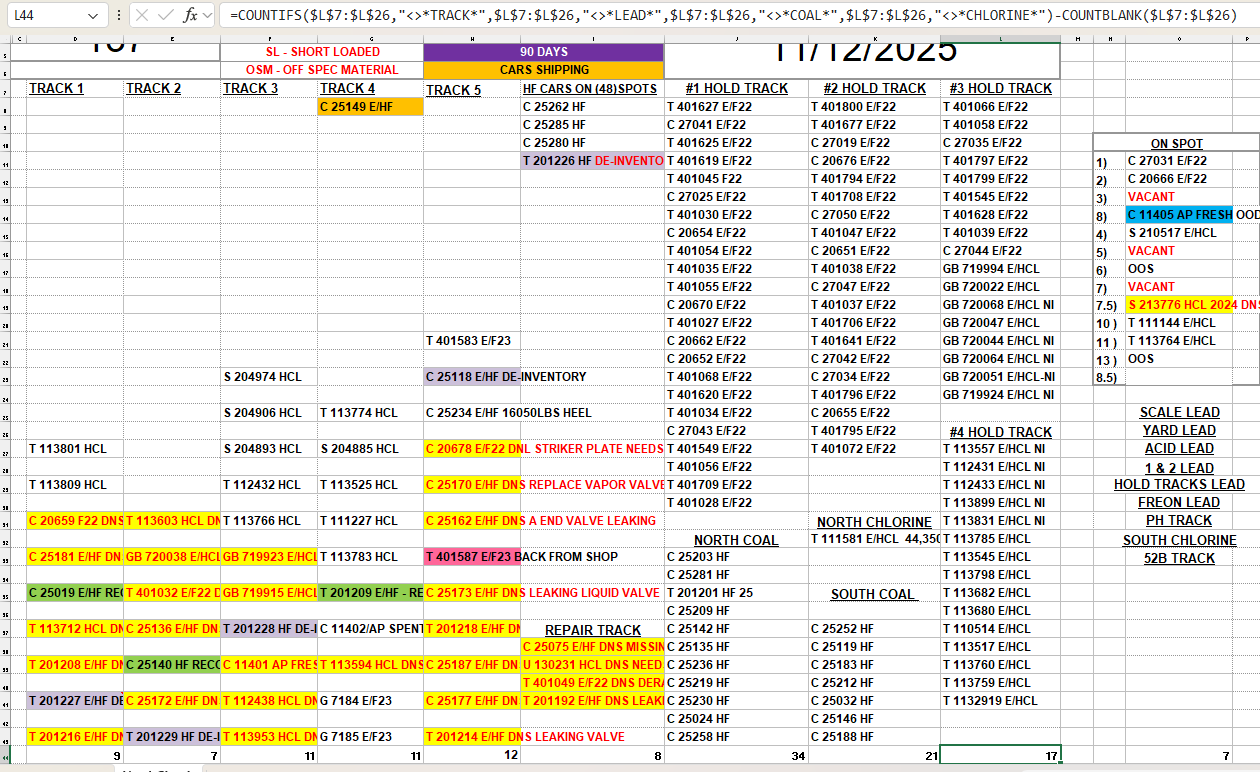
I have a spreadsheet of containers that are constantly moved around to various locations on my site which we track on this spreadsheet. I have formulas to count the number of containers in each column (Cells 7-43), with exceptions in the formula to exclude counting the location headers and blanks. At some point as things are moved around on the spreadsheet, the cell range will change on it’s own. (For example in the photo, it changed the range from L7:L43 to L7:L26) I’ve tried locking the range using $ but that has not worked. I’ve seen tips on using INDIRECT to lock a range but I’m not sure how to use it with the exceptions. Every time I try to add INDIRECT I get a too few or too many arguments error. Any help would be appreciated.
Spreadsheet with altered formula shown: