This image I uploaded for this post is part of the BCD file data for Sergei Strelec’s WinPE .
-
What do the device and path sections represent and what do they do?
-
What happens when the Windows boot manager tries to read the identifier={default} section of this BCD when this operating system is running?
-
Does winload.exe load the strelec10x64Eng.wim file in the “ramdisk=[boot]SSTRstrelec10x64Eng.wim” directory?
-
Why is the path section the same for both the “Sergei Strelec Win10 (x64)” and “Sergei Strelec Win10 (x86)” items?
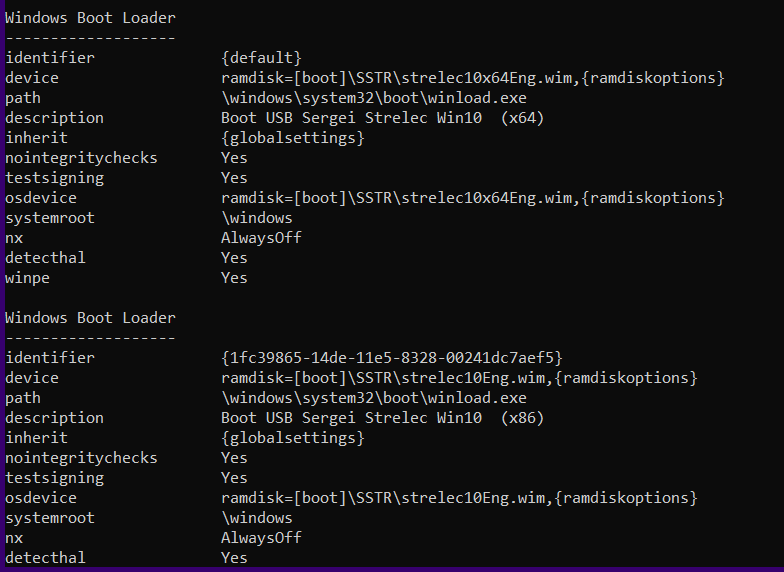
Windows Boot Loader
-------------------
identifier              {default}
device                  ramdisk=[boot]SSTRstrelec10x64Eng.wim,{ramdiskoptions}
path                    windowssystem32bootwinload.exe
description             Boot USB Sergei Strelec Win10  (x64)
inherit                 {globalsettings}
nointegritychecks       Yes
testsigning             Yes
osdevice                ramdisk=[boot]SSTRstrelec10x64Eng.wim,{ramdiskoptions}
systemroot              windows
nx                      AlwaysOff
detecthal               Yes
winpe                   Yes

Windows Boot Loader
-------------------
identifier              {1fc39865-14de-11e5-8328-00241dc7aef5}
device                  ramdisk=[boot]SSTRstrelec10Eng.wim,{ramdiskoptions}
path                    windowssystem32bootwinload.exe
description             Boot USB Sergei Strelec Win10  (x86)
inherit                 {globalsettings}
nointegritychecks       Yes
testsigning             Yes
osdevice                ramdisk=[boot]SSTRstrelec10Eng.wim,{ramdiskoptions}
systemroot              windows
nx                      AlwaysOff
detecthal               Yes
winpe                   Yes
