I have a Framework 16 laptop running Ubuntu Desktop 25.10.
I would like to change what the default system volume controls when using the builtin speakers. In alsamixer, I see this:
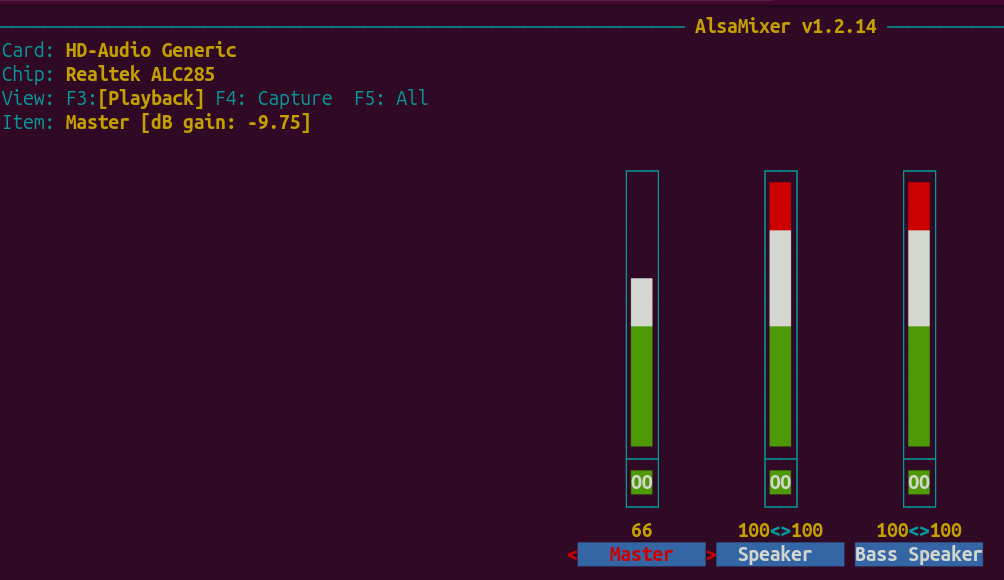
The system volume controls the middle one (Speaker). This causes the volume to behave in a strange way, affecting bass more than treble. I’d prefer to control the Master volume on the left instead. How can I change that?
A similar question was asked about Linux Mint here, but they use PulseAudio, whereas I have PipeWire.
