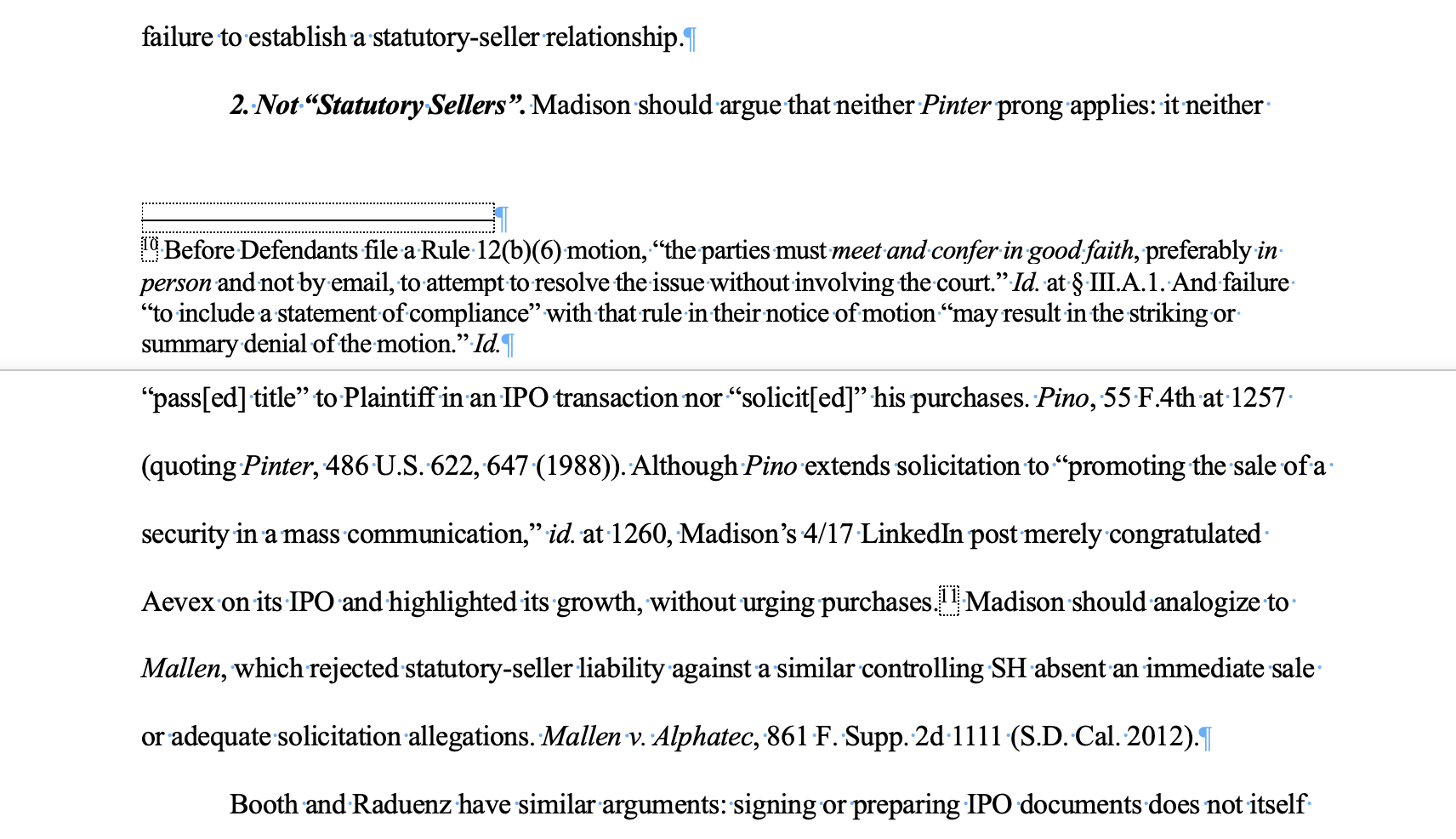
I have these huge spaces above my footnote (“FN”) separator. This is only one instance of this throughout my entire paper. I have no clue what is causing it.
All of the following are set to OFF:
- Widow/Orphan Control
- Keep With Next
- Keep Lines Together
- Page Break Before
Other things I’ve tried:
- Spacing before/after each line is set to 0pt, and there’s no footnote attached to the following line (see the screenshot below), so it can’t be because the line’s footnote wouldn’t fit on the same page as the lin (which I’ve seen is the common cause for people complaining about this online).
- I read somewhere that going to Footnote and changing it from Bottom of Page to Below Text helps, but that did nothing, and made it worse in some cases.
- I also went to Draft Mode > Footnote > Footnote Separator, and checked if there was space before the footnote Separator, but there wasn’t.
- I also tried making the font of the line on the following page smaller to see if the issue was that the line’s text and the double space after it wouldn’t fit and I was just miscalculating the space. But even at 1pt font, the line still won’t go up.
The only fix I’ve found is to hit Return to break each line into its own “paragraph”, make each line single-spaced, then manually add space before and after each line so it still looks like they’re part of the same paragraph, just double spaced. But that isn’t a systematic fix, it’s a “hack”.
I run into this issue every time I write a paper and it sucks when I have a stringent page limit to meet. This is all on MS Word for Mac Version 16.114.
Here’s a screenshot of the issue: