I don’t like the changes that were in the “fluent UI refresh” for VS2022, and I still don’t like them in VS2026 and want to go back to how they used to be (disabled). The thing I want to undo looks like this: 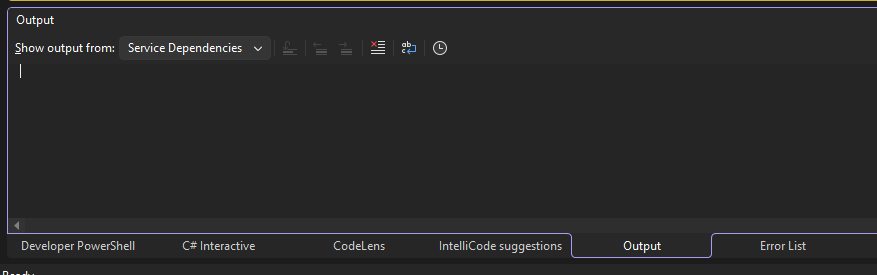
The thing I had before, and want to go back to looks like this: 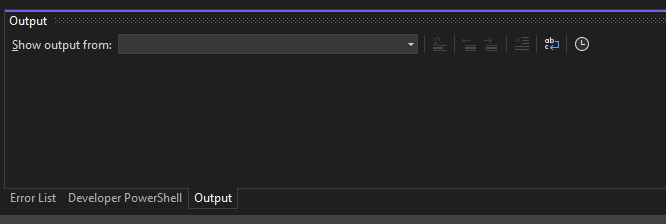
How can I remove and permanently block this change?
PS I wanted to tag this visual-studio-2026 but was not an option


