In the “List all tabs” dropdown menu in Firefox, at least in version 141, there is a “Recent tab groups” section, which lists the most recently used tab groups across all windows. This can be a slight nuisance for the following reasons:
- Tab groups from all windows, not just the current window, are shown. This breaks with the concept that only tabs from the current window are listed in the dropdown menu.
- Tab groups in the current window are already shown in the tab list
- It takes up some vertical space which might otherwise be used to list more tabs
- It clutters the otherwise tidy and straight-to-the-point dropdown menu
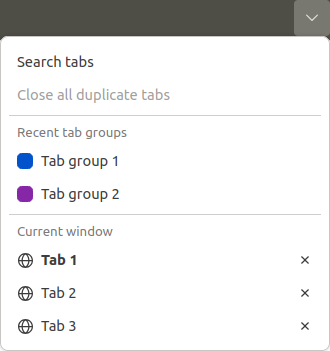
How to remove the “Recent tab groups” section from the dropdown menu?
