I currently have two ArchLinux laptops both connected to the internet through the same router, a TP-Link Archer MR600, and they are systematically¹ assigned local IPs 192.168.1.101 and 192.168.1.107.
Since they are part of the same network, I can ssh 192.168.1.107 to connect from the latter to the fomer, and ssh 192.168.1.101 to do the viceversa.
However, I would like to access these from the outside, possibly using a port other than the default 22.
So I went to the config page of the router, 192.168.1.1, and configured what seems to me port forwarding (despite it’s located at NAT Forwarding/Virtual Servers) like so:
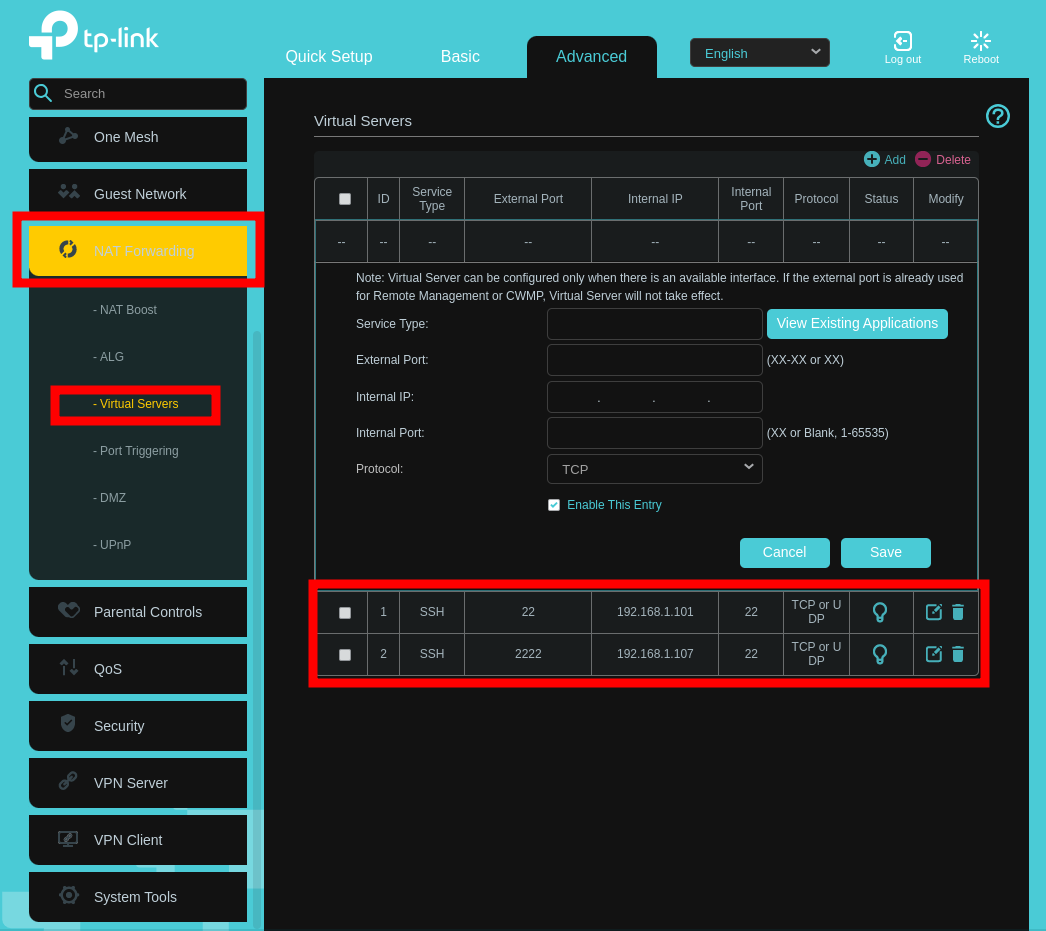
(The lightbulb becomes like this  if I click on it.)
Given this, I’d expect to be able to connect to the former device via ssh XXX.XXX.XXX.XXX and to the latter via ssh -p 2222 XXX.XXX.XXX.XXX, where XXX.XXX.XXX.XXX is the public IP I retrieved at https://whatismyipaddress.com/.
However, that’s not the case, and indeed https://canyouseeme.org/ (which also confirms the public IP address I see at https://whatismyipaddress.com/) tells me that both ports 22 and 2222 are not visible.
The Network Map as shown in the router page looks like this:

I’m not sure what is the relevance of that IP address 10.175.19.248 / ::, though.
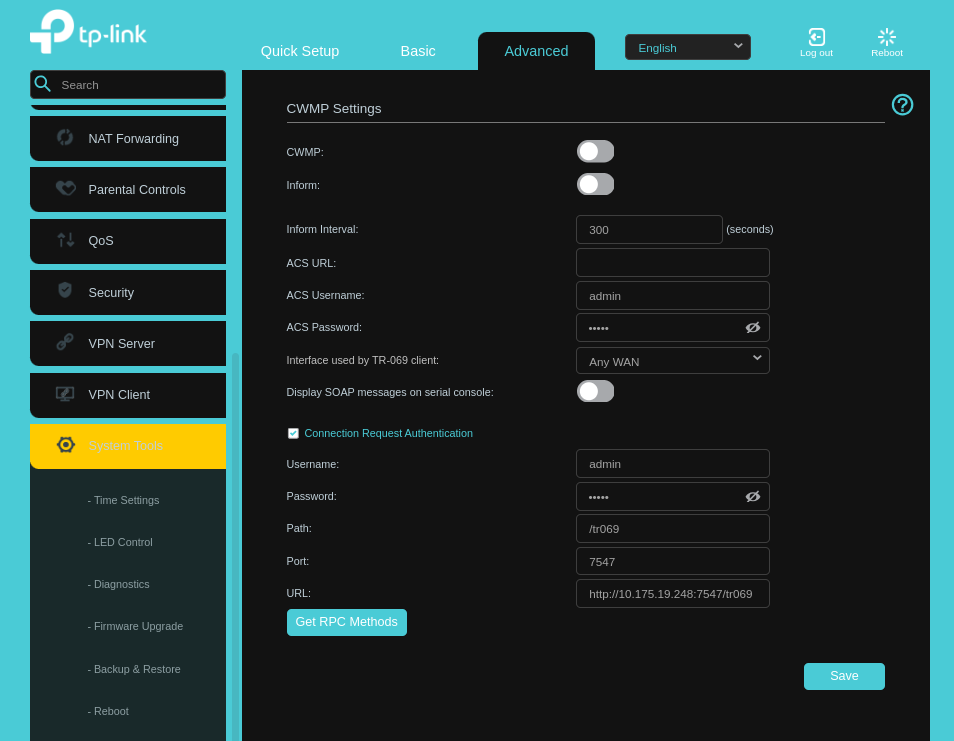
Regarding whether CWMP are monopolising the external port, I think the screenshot below means the answer is no:
¹ Maybe I should say statically because I’ve configured the following at Network/LAN Settings:





