For context, for some reason my shortcut programs weren’t showing up whenever I search them. I already tried making a new shortcut but some of them really aren’t showing. So with that I search online how to fix that issue and they said Restart WSearch on Services via Task manager, and after that it just stop running. Now I searched how to turn it back on because it wont turn on itself.

Windows 10 search image
This is what it showing when checking the indexing options:

What is shown in Indexing Options
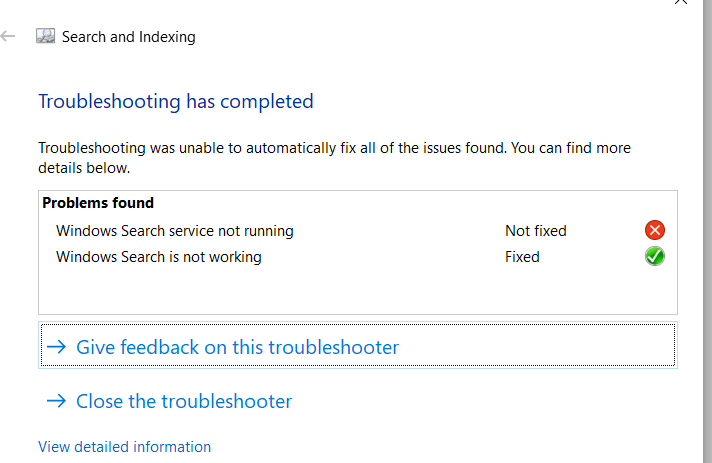
I tried trouble shooting it but what it showed me was this.
I also checked some posts here if there’s a solution but non of it works. I also tried rebuilding it but I don’t know if its actually rebuilding the index because its not running (based on Services)
How can I fix this? I have tried the troubleshooter already: