
I want to make one of customer attributes not required I run the below code, but it doesn’t work public function upgrade(ModuleDataSetupInterface $setup, ModuleContextInterface $context) { $customerSetup = $this->customerSetupFactory->create(['setup' => $setup]); $customerSetup->addAttribute( MagentoCustomerModelCustomer::ENTITY, 'trade_license', [ 'required' => false ] ); }
Magento
7655 posts

I have a controller that is called by ajax in the cart page. A gift card amount is passed to the controller and a function then updates the quote grand total based on that amount. protected function applyGiftCard($giftCardCode, $giftCardSecurityCode, $giftCardAmount): array { $quote = $this->checkoutSession->getQuote(); $grand_total = $quote->getGrandTotal(); $new_grand_total = […]
I want to Use Captcha / Recaptcha in my Graphql APIs I got this link for protected mutations It only shows to insert it in headers but it won’t do anything in Graphql apis and for rest apis it gives error of recatcha validation failed Please guide how will i […]
I making a promo on Magento 2.4.5 Like buy any specific 5 products and get 1 free. We have products having FPT on them. I want to add this FPT product to cart with 0 price and 0 FPT when someone buy 5 products. I have achieved this promo by […]
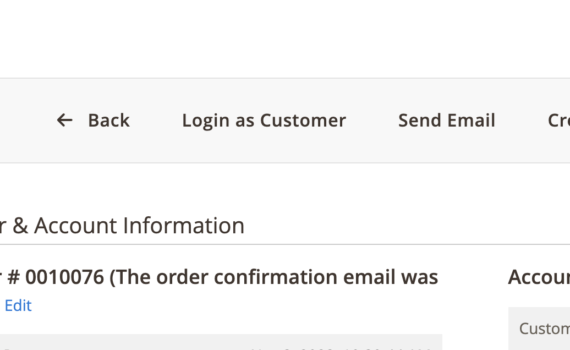
In magento admin order details page the print button for order is missing (see sample image). It was there before but suddenly it got missing. Does anyone have any idea why that could happen? It does not show that for any order in any state. Any insights is appreciated. Thanks […]
Lets assume a custom page builder content type with a text attribute representing a link In master.html I’m already retrieving the following attributes <!--master.html--> <<div attr="data.main.attributes" ko-style="data.main.style" css="data.main.css" > <div class="homebanner-content"> <h3 attr="data.title.attributes" html="data.title.html"></h3> <p attr="data.description.attributes" html="data.description.html"></p> <a href=" <div attr='data.link.attributes' html='data.title.html'> </div>" >En savoir plus </a> </div> </div>> But […]
Here’s my situation: When calling the endpoint, I receive the following data: { "ean": "0744963634260", "price": "400.000000", "update_at": "2023-10-30 18:39:02" } The data is output as a JSON object. My problems: I need to ensure the data is output under the “products” element. For example: { "products": [ { "ean": […]
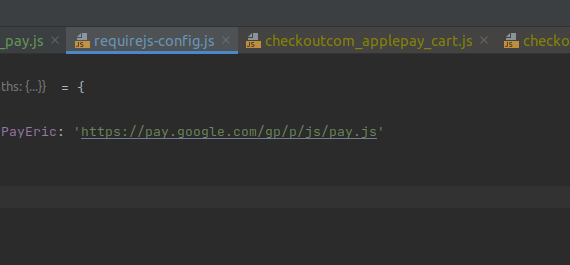
I’m trying to integrate Google Pay into my Cart page. But, I always get an error, it looks like this: Uncaught Error: Script error for "https://pay.google.com/gp/p/js/pay.js" https://requirejs.org/docs/errors.html#scripterror at makeError (require.js:168:17) at HTMLScriptElement.onScriptError (require.js:1738:36) The steps i did: define path in requirejs-config.js inject component in template component’s content: How can I […]