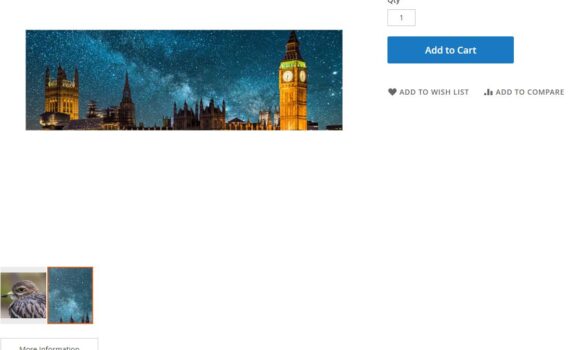
I have a problem when the images are not square. I have already disabled all extensions and enabled the Luma theme. That doesn’t fix the problem. When I upload a non-square image, the preview looks like this. Best regards Straddi
Magento2
7841 posts

How to override Mass action in Magento module. I want to override below files. VendornameModuleNameUiComponentMassActionStatus to my custom module.
I create a countdown banner on the homepage. I am storing from date and to date in the system.xml. I want to show the countdown between the dates From date to To date. Can anybody guide me How can I do this? I successfully create a static time. But want […]
Magento 2.4.4 The checkout does a reload after every character I enter in the ZIP or phone field. I tried finding a setting to disable this, but could not find any. Is there a way to stop reloading after every keyup? Thanks
I have added NOINDEX, and NOFOLLOW meta tags to the /catalogsearch page to remove already indexed pages from search engine indexes. However, I still have trouble removing indexed results for the /review URL. The review section is located within the product page, so there is no specific URL for the […]
Lokesh/CatalogExtended/etc/di.xml <?xml version="1.0" ?> <type name="MagentoCatalogBlockProductProductListToolbar"> <plugin disabled="false" name="Lokesh_CatalogExtended_Block_Toolbar" sortOrder="10" type="LokeshCatalogExtendedPluginCatalogBlockToolbar"/> </type> <type name="MagentoCatalogModelConfig"> <plugin disabled="false" name="Lokesh_CatalogExtended_Model_Config" sortOrder="11" type="LokeshCatalogExtendedPluginCatalogModelConfig"/> </type> </config> Lokesh/CatalogExtended/Plugin/Catalog/Block/Toolbar.php namespace LokeshCatalogExtendedPluginCatalogBlock; class Toolbar { public function aroundSetCollection( MagentoCatalogBlockProductProductListToolbar $subject, Closure $proceed, $collection ) { $currentOrder = $subject->getCurrentOrder(); $result = $proceed($collection); if ($currentOrder) { if ($currentOrder == 'high_to_low') […]
my catalog_category_view.xml </body> my custom_attribte.phtml getProduct(); $attrData = $product->getData(‘feature’); $blockTitle = $this->getData(‘title’); if ($attrData !== “”) : ?> <div class="product-full-width-section"> <h2 class="product-section-title"><?= $blockTitle; ?></h2> <?php echo $attrData; ?> </div>
I have a JS file like this: define([ 'jquery', 'underscore', 'matchMedia', 'text!ajaxcart/template/modal-slide.html', 'text!ajaxcart/template/modal-popup.html', 'Magento_Customer/js/customer-data', 'Magento_Catalog/product/view/validation', 'Magento_Ui/js/modal/modal', 'mage/translate' ], function($, _, mediaCheck, _slideTpl, _popupTpl, customerData) { ... } But for some reason, it is not entered into the code in function until I remove “Magento_Customer/js/customer-data”. I mean, if I change it […]
its given when indexing Category Products index Category Products index process error during indexation process: SQLSTATE[70100]: <<Unknown error>>: 1907 Query execution was interrupted, query_timeout exceeded, query was: INSERT INTO catalog_category_product_index_store2_tmp (category_id, pr oduct_id, position, is_parent, store_id, visibility) SELECT cc.entity_idAScategory_id, ccp.product_id, ccp.position, 1 AS is_parent, 2 AS store_id, IFNULL( cpvs.value, cpvd.value) […]