I am using Microsoft Word 2021 and have a table where the cell vertical alignment is set to Center. I want to add an image next to the text in my cells to create labels.
However, when I drag the image over the lower part of the table cell, the text in the cell moves up and down, even though the image’s text wrapping is set to “Behind Text”.
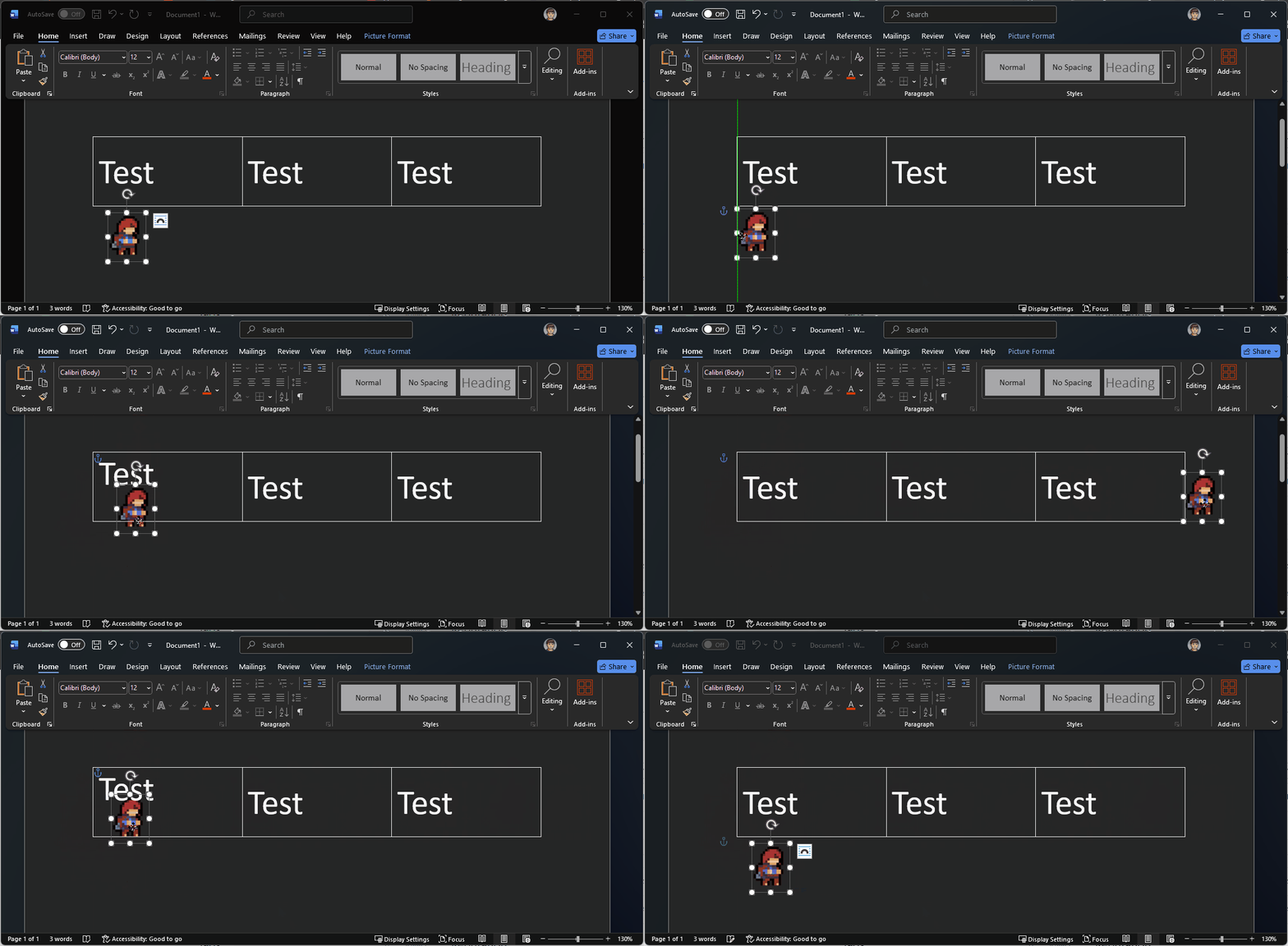
Steps to reproduce:
- Create a new word document
- Add a table (Insert -> Table)
- Right‑click inside the cell → Table Properties → Cell tab → Vertical alignment → Center.
- Type some text in the cell.
- Insert an image
- Right click the image and select Wrap Text → Behind Text
- Drag the image over the lower half of the text in the cell.
Expected result:
The text in the cell doesn’t move since it’s behind the text.
Actual result:
The text moves up and down as the image is moved around the lower half of the cell.
What I have tried:
- Making the image’s position relative to the page
- Enabling and disabling “Allow overlap” on the image.
- Switching image to “Fix position on page” in layout options.
How can I prevent vertically centered text within a table cell from shifting up and down when an image overlaps the cell in Microsoft Word?