Word table lines like this (encircled) disappear for me:
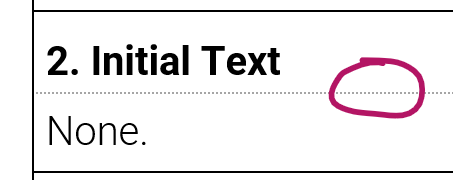
Source: snippet tool on zoomed in Word document.
I take this to be some kind of “optimization” reminiscent from the times when displays were “72 DPI” or less.
Note: The line shown has deliberately been chosen to be a dotted grey line in (Right click in Table cell) > Table Properties > Borders and Shading — note that the intention is to create a just visible line — a hairline.