My desktop computer is a LenovoIdeaCentre 510A-15ICB (Intel Core i5-8400 CPU @ 2.80GHz), running on Windows 11.
I just installed an M.2 SSD (Seagate Firecuda 530R, 1TB, 7400MB/s. M.2) in the internal PCIe port.
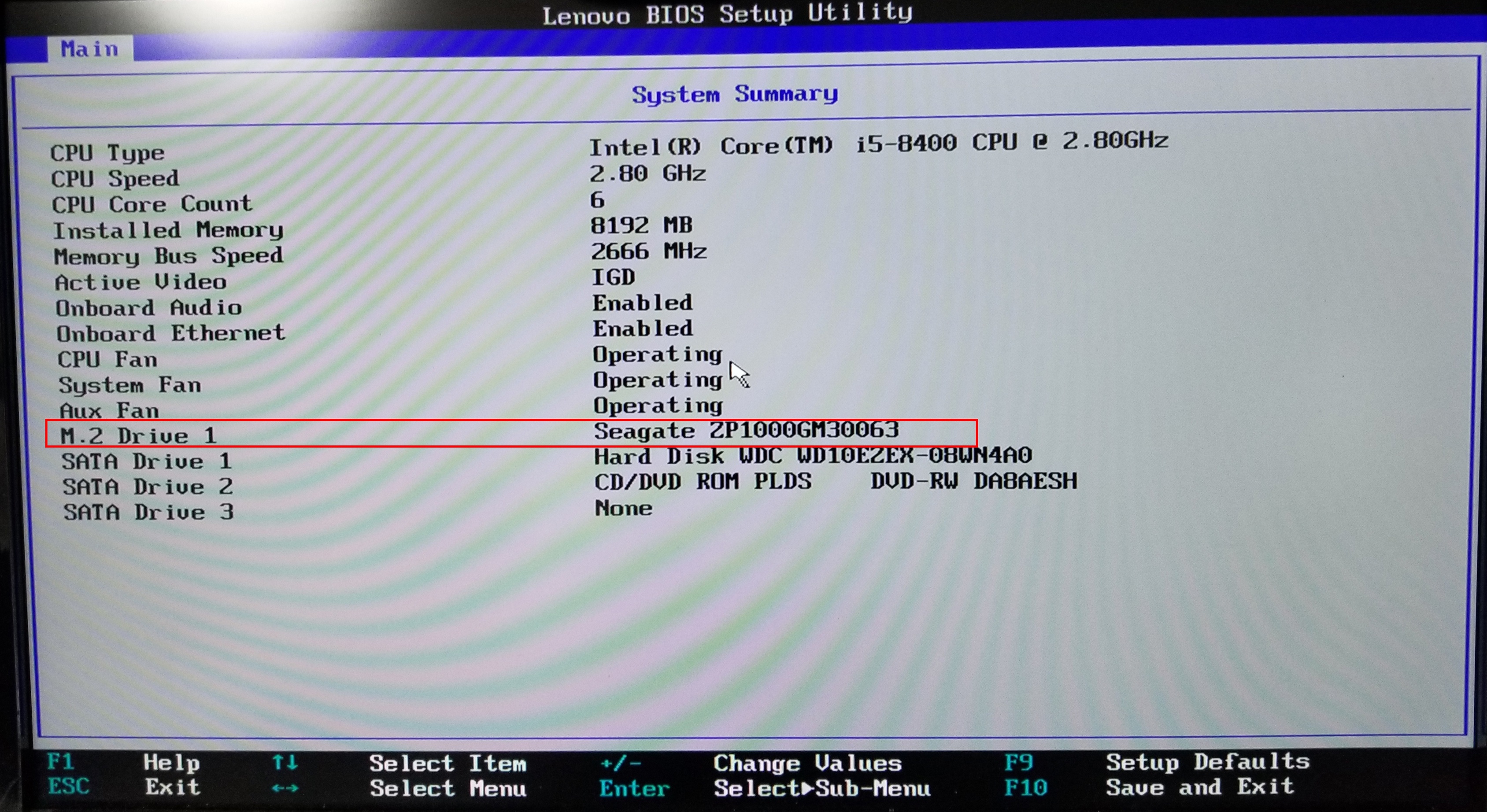
The drive is visible in the BIOS:
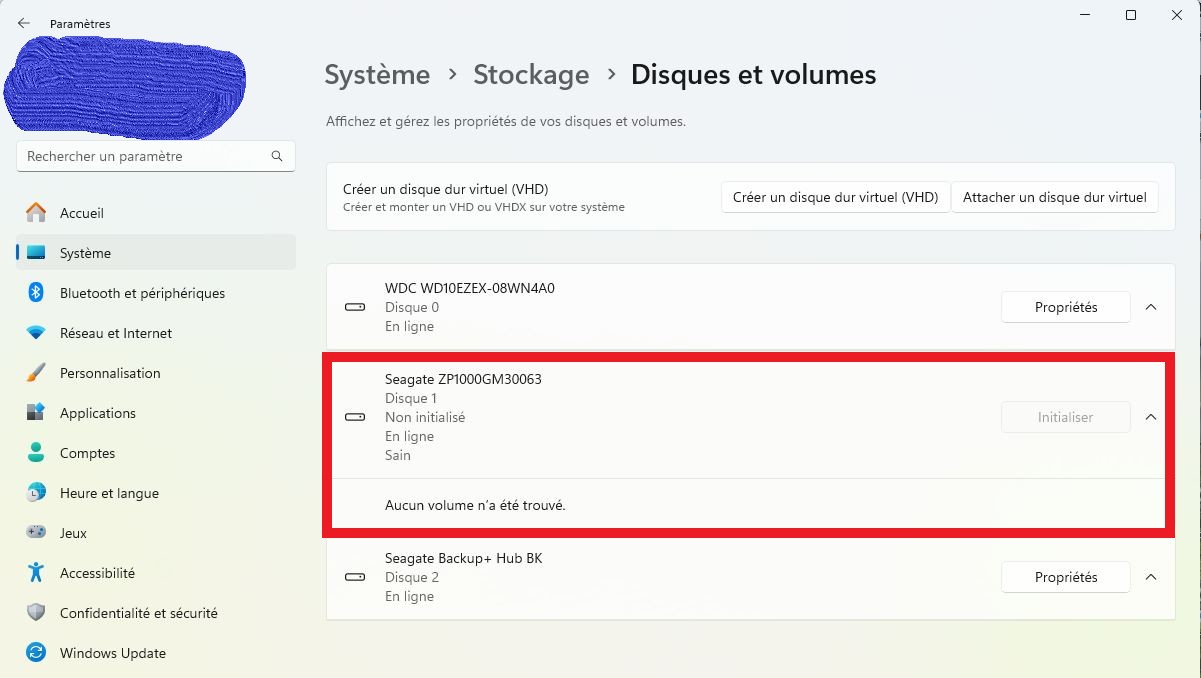
It is also visible in the control panel, under “Disk management”. However, it says that the disk has not been initialized, but the “Initialize” option is greyed.
How can I have it recognized by Windows?
![Is anyone here still using Windows 10, Build 19045.4170 22h2 and able to successfully connect your Android phone via the USB port and transfer files? [closed]](https://www.rubin.com.np/wp-content/themes/customizr/assets/front/img/thumb-standard-empty.png)