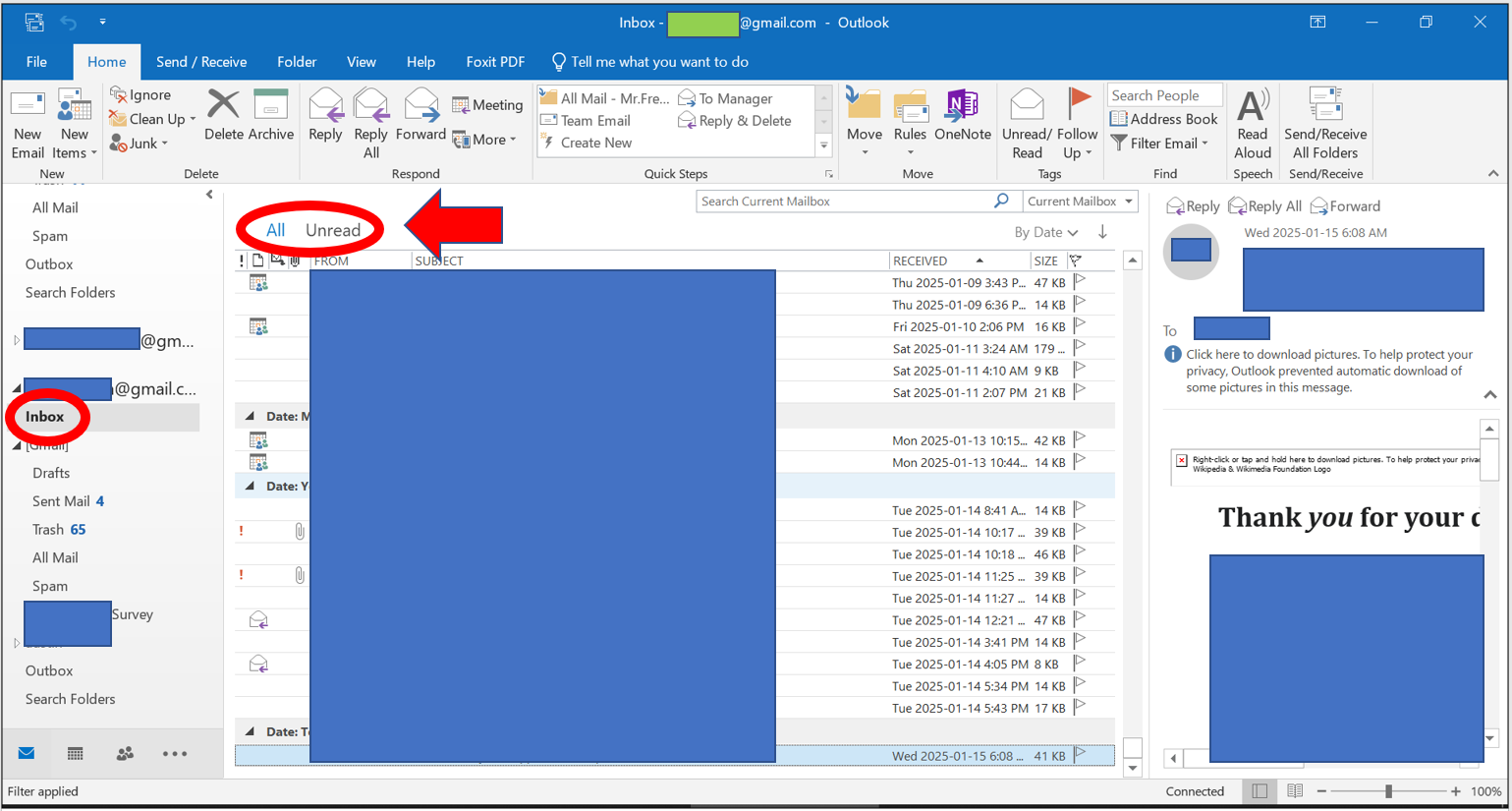
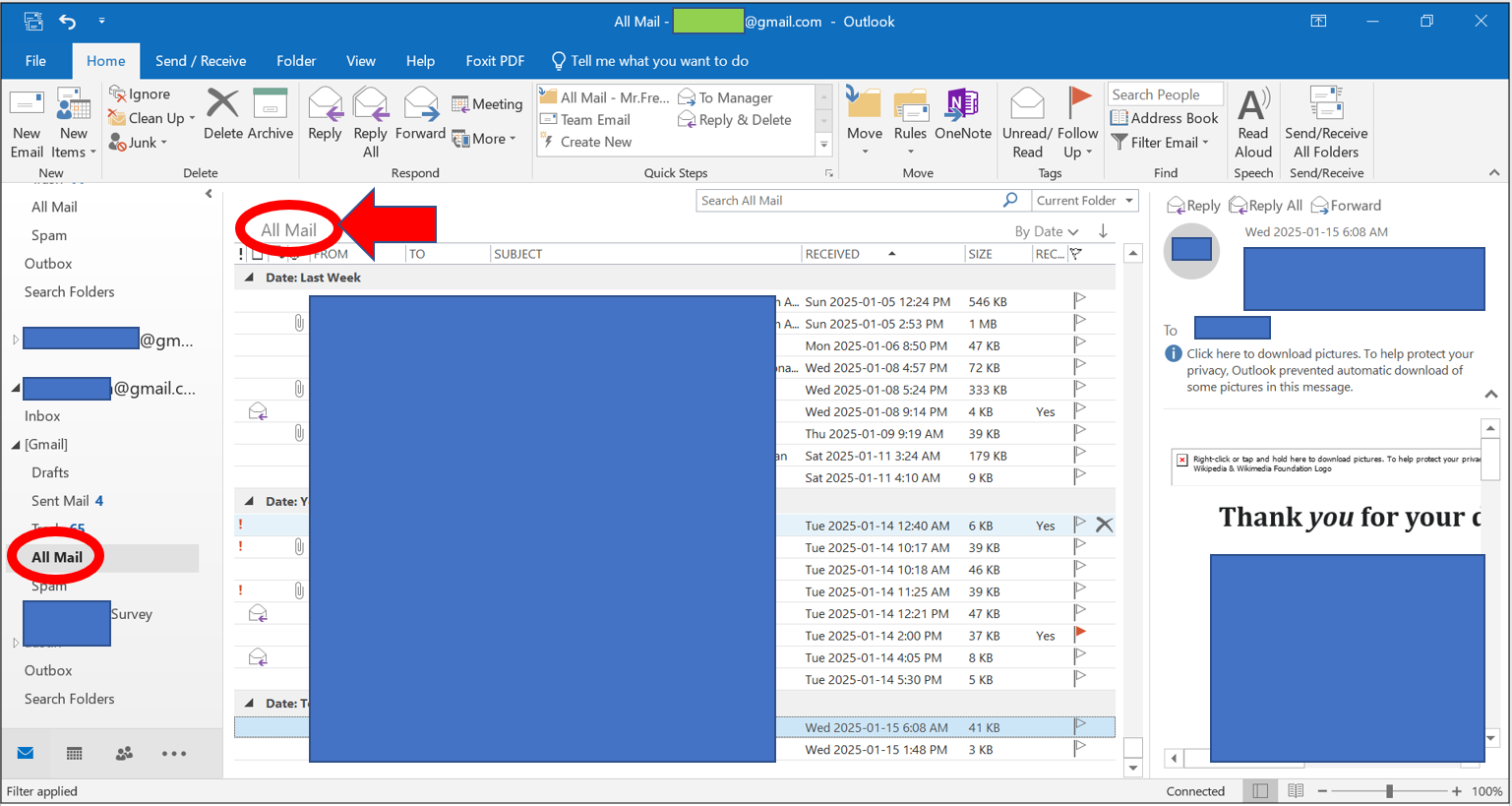
I have several Gmail accounts to which I connect using IMAP. Above the message list, only the Inbox folder shows options to view “All” versus “Unread” messages. Other folders do not (All Mail, Sent, Trash, etc.). In place of “All/Unread”, only the name of the folder is displayed.
I normally use only the All Mail folder. Yesterday, I was surprised to see that even an All Mail folder showed the “All/Unread” options. Today, it is gone. This tells me that it is possible to show those options. I just don’t know what conditions make those options available. I tried performing a search using the search field. I tried marking all messages as read, then unmarking some. None of that works.
Has anyone else seen the “All/Unread” options in folders other than Inbox, or you only see those options in Inbox (like me)? Is anyone aware of what conditions or actions make those options available outside of Inbox? My Outlook desktop app is part of Microsoft Office Professional Plus 2019.