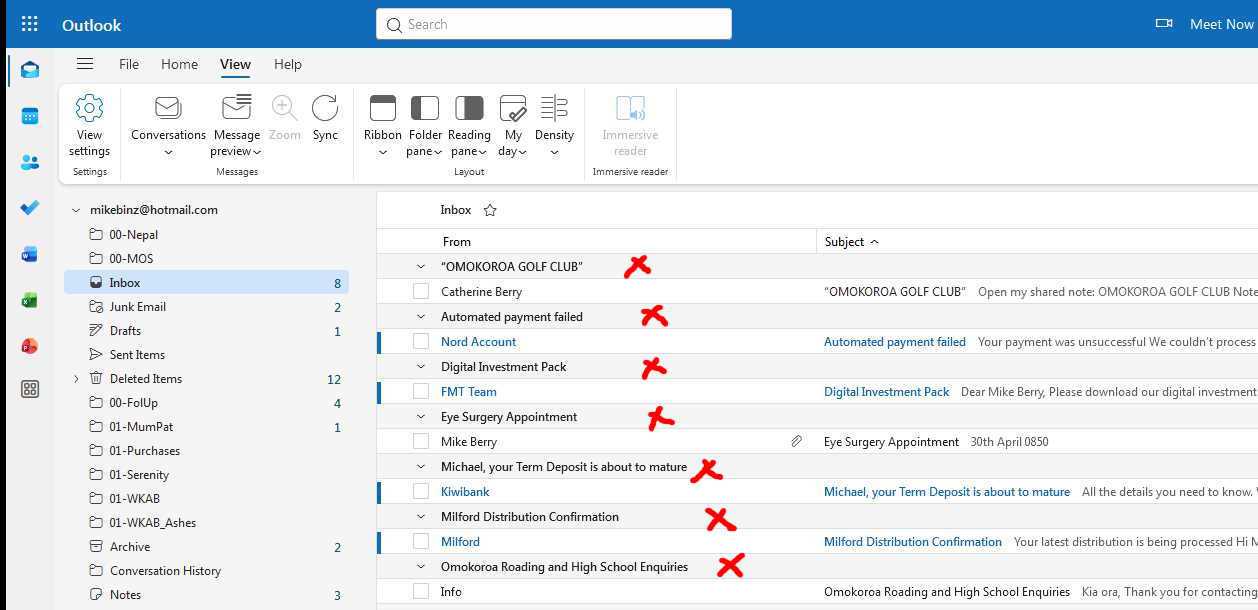
I’d like to Hide the Dropdowns marked with a Red Cross which have suddenly appeared in my OWA Inbox.
Google tells me to turn “Conversation View” Off, but I can’t find any way to do this; the Convesations Dropdown only has “Message List” and “Reading Pane” options and no combination of those settings does what I want.
Any specific instructions would be greatly appreciated
