I installed phpMyAdmin with Nginx and MariaDB on my FreeBSD server at home. When I visit the login page, I see this instead of a login page:
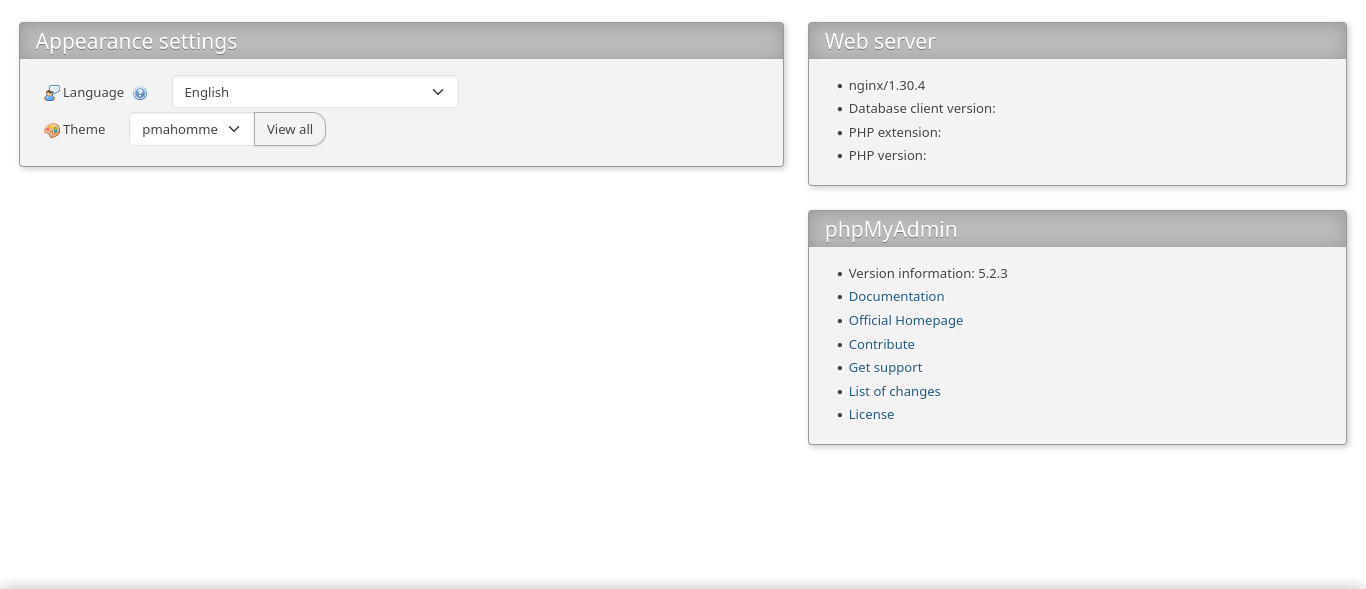
Here are the versions of the different components:
- FreeBSD 15.0
- Nginx 1.30.4
- MariaDB 12.3.2
- PHP 8.6.0alpha1
usr/local/etc/mysql/my.cnf contains the following (plus commented out lines):
[client-server]
port    = 3306
socket  = /var/run/mysql/mysql.sock
I added the following in /usr/local/www/phpMyAdmin/config.inc.php:
$cfg['Servers'][$i]['socket'] = '/var/run/mysql/mysql.sock';
The config block I added for Nginx is the following:
server {
        listen 80;
        #server_name app.example.com;
        root /usr/local/www/phpMyAdmin;

        index index.php index.html index.htm;

        location / {
                try_files $uri $uri/ =404;
        }

        location ~ .php$ {
                include fastcgi_params;
                fastcgi_pass 127.0.0.1:9000;
                fastcgi_index index.php;
                fastcgi_param SCRIPT_FILENAME $document_root$fastcgi_script_name;
        }

        error_page 404 /404.html;
        error_page 500 502 503 504 /50x.html;
        location = /50x.html {
                root /usr/local/www/phpMyAdmin;
        }
}
The logs don’t contain anything useful to figure out what’s wrong. I tried with different versions of php and phpMyAdmin and different browsers, but I get the same result. I searched online and didn’t find any post describing the same problem.
What am I missing?
Update
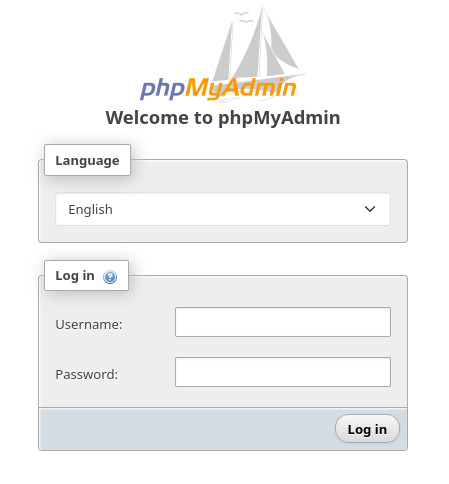
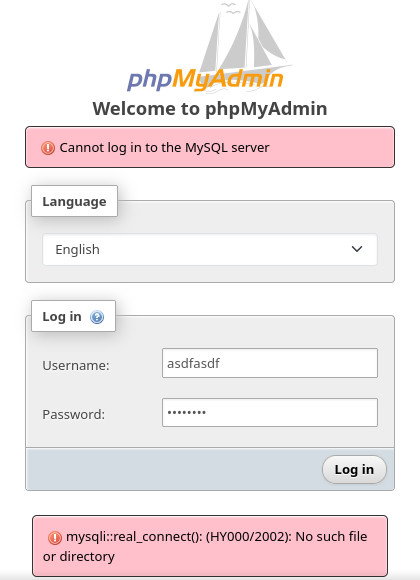
When I comment out the line I added in /usr/local/www/phpMyAdmin/config.inc.php and restart the services, the login page is reachable, but credentials that are either valid or invalid yield the same error:
Also, here is more information, as requested by Ramhound:
/usr/local/etc/nginx/fastcgi_params:
fastcgi_param  QUERY_STRING       $query_string;
fastcgi_param  REQUEST_METHOD     $request_method;
fastcgi_param  CONTENT_TYPE       $content_type;
fastcgi_param  CONTENT_LENGTH     $content_length;

fastcgi_param  SCRIPT_NAME        $fastcgi_script_name;
fastcgi_param  REQUEST_URI        $request_uri;
fastcgi_param  DOCUMENT_URI       $document_uri;
fastcgi_param  DOCUMENT_ROOT      $document_root;
fastcgi_param  SERVER_PROTOCOL    $server_protocol;
fastcgi_param  REQUEST_SCHEME     $scheme;
fastcgi_param  HTTPS              $https if_not_empty;

fastcgi_param  GATEWAY_INTERFACE  CGI/1.1;
fastcgi_param  SERVER_SOFTWARE    nginx/$nginx_version;

fastcgi_param  REMOTE_ADDR        $remote_addr;
fastcgi_param  REMOTE_PORT        $remote_port;
fastcgi_param  SERVER_ADDR        $server_addr;
fastcgi_param  SERVER_PORT        $server_port;
fastcgi_param  SERVER_NAME        $server_name;

# PHP only, required if PHP was built with --enable-force-cgi-redirect
fastcgi_param  REDIRECT_STATUS    200;
/usr/local/etc/php-fpm.conf (without empty lines or comments):
[global]
pid = run/php-fpm.pid
include=/usr/local/etc/php-fpm.d/*.conf
/usr/local/etc/php-fpm.d/www.conf (without empty lines or comments):
[www]
user = www
group = www
listen = 127.0.0.1:9000
pm = dynamic
pm.max_children = 5
pm.start_servers = 2
pm.min_spare_servers = 1
pm.max_spare_servers = 3
/var/log/php-fpm.log is a repetition of the following:
[21-Jul-2026 13:44:43] NOTICE: configuration file /usr/local/etc/php-fpm.conf test is successful
[21-Jul-2026 13:44:43] NOTICE: fpm is running, pid 68652
[21-Jul-2026 13:44:43] NOTICE: ready to handle connections
[21-Jul-2026 13:46:10] NOTICE: Terminating ...
[21-Jul-2026 13:46:10] NOTICE: exiting, bye-bye!
[21-Jul-2026 13:47:52] NOTICE: configuration file /usr/local/etc/php-fpm.conf test is successful
[21-Jul-2026 13:47:52] NOTICE: fpm is running, pid 53605
[21-Jul-2026 13:47:52] NOTICE: ready to handle connections
[21-Jul-2026 19:47:28] NOTICE: Finishing ...
[21-Jul-2026 19:47:28] NOTICE: exiting, bye-bye!
[21-Jul-2026 19:47:32] NOTICE: configuration file /usr/local/etc/php-fpm.conf test is successful
[21-Jul-2026 19:47:32] NOTICE: fpm is running, pid 19606
[21-Jul-2026 19:47:32] NOTICE: ready to handle connections
Update 2
I tried Bilal’s suggestion to downgrade to an earlier version of PHP:
$ php -v
PHP 8.2.32 (cli) (built: Jul  9 2026 03:03:59) (NTS)
Copyright (c) The PHP Group
Zend Engine v4.2.32, Copyright (c) Zend Technologies
$ php -m
[PHP Modules]
bz2
Core
ctype
date
filter
gd
hash
iconv
json
libxml
mbstring
mysqli
mysqlnd
openssl
pcre
random
Reflection
session
SPL
standard
xml
xmlwriter
zip
zlib

[Zend Modules]
However this doesn’t solve the problem.
