I have come into possession of two Edge-Core ECS3510-2BT switches. They were donated as charity, and didn’t come with management login and password (the defaults don’t work). I can connect to them using the serial port or the web interface, but obviously can’t achieve anything, since I don’t have credentials.
Please help me factory reset these, as I do believe they come with no physical reset buttons. I’m attaching the photos of the switch and the board.
Switch image
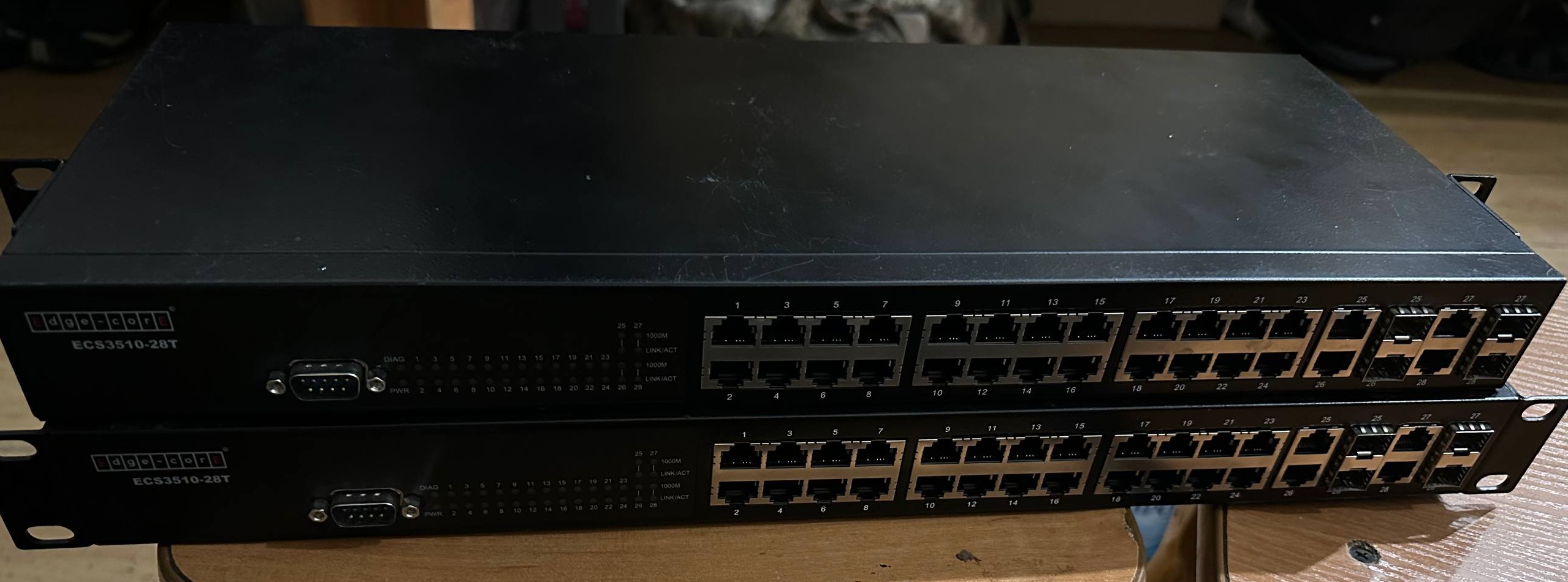
Board image
EDIT:
Here’s the boot loader output:
DRAM Test       : PASS

Product : ECS3510-28T


Loading Runtime Image File : ecs3510_28t_v1.5.1.17.bix
Image version: 1.5.1.17
   Loading Multi-File Image ... OK

Starting kernel ...

Uncompressing Linux.................................................................................. done, booting the kernel.
running rc ...
insmod module accton module ...
insmod module mvPpDrv and mvKernelExt ...
Device[0] ID 0xE40111AB revision 3
SMI Init done 0    0 13

Diagnostics 0.0.0.1
Fast Mode

Diag. exit!


Device[0] ID 0xE40111AB revision 3
SMI Init done 0    0 13

Assigned Unit ID:[1]
done
Setting transition mode ...
Finished setting transition mode ...
Entering transition mode ...
Finished transition mode ...

Load certificate files : Starting
Load certificate files : Finished
Entering master mode ...

Performing startup provision ...
Press [P] to print out the d
..........................................................................................................................................................................................................................................................................................................................................................................................................................................................................................................................................................................................................................................................................................................................................................................................................................................................................................
Notifying provision complete
Finished master mode ...
Pre-provision complete ...
Finished pre-provision complete ...

CLI provision has been completed
Provision complete ...

***************************************************************

WARNING - MONITORED ACTIONS AND ACCESSES


Station's information:


Floor / Row / Rack / Sub-Rack
 /  /  /
DC power supply:
Power Source A: Floor / Row / Rack / Electrical circuit
 /  /  /

Number of LP:
Position MUX:
IP LAN:
Note:
***************************************************


User Access Verification

Username: