I have Google Drive for desktop installed in Windows 11. When I browse Google Drive in Windows File Explorer… I can right-click on a file and copy it’s URL
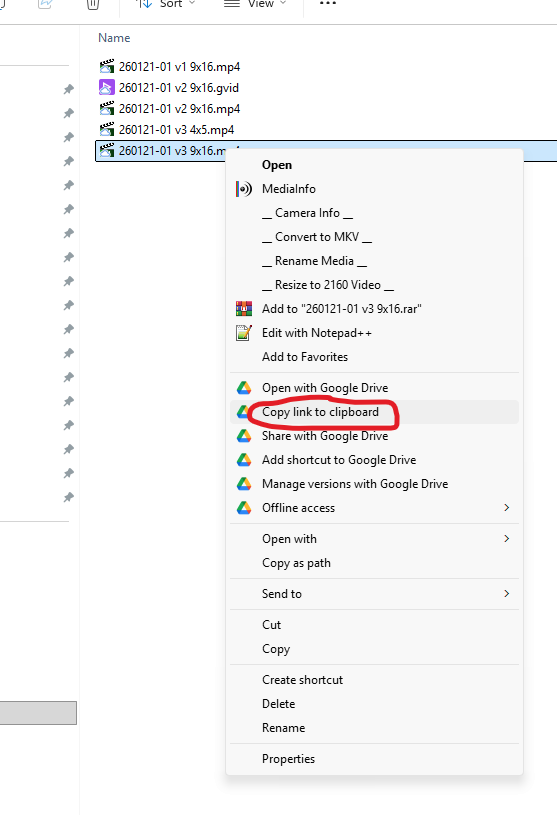
It just copies the file’s Google Drive location like it should:
https://drive.google.com/open?id=4I7Gf7JJddPNDRnHO35ji0Ww1lfE_&usp=drive_fs
But what I want instead, is a proper link with the filename like this:
I want this functionality so I can email or direct message people my Google Drive file links that look like links, instead of a long messy string. And I won’t want to manually create these links because I might send a list of 10 files and manually creating links is time consuming.
If I can somehow get the file location link through the command line then I can use a batch file or autohotkey to turn that into a proper link.
Any ideas?
-Pete
