I am getting a ghosting issue when rendering a screen recording in DaVinci Resolve 20.0.1 Build 6 (free version). The exported video has frame ghosting artifacts where frames seem to blend or smear together. Below is a comparison of the original clip vs the rendered version.
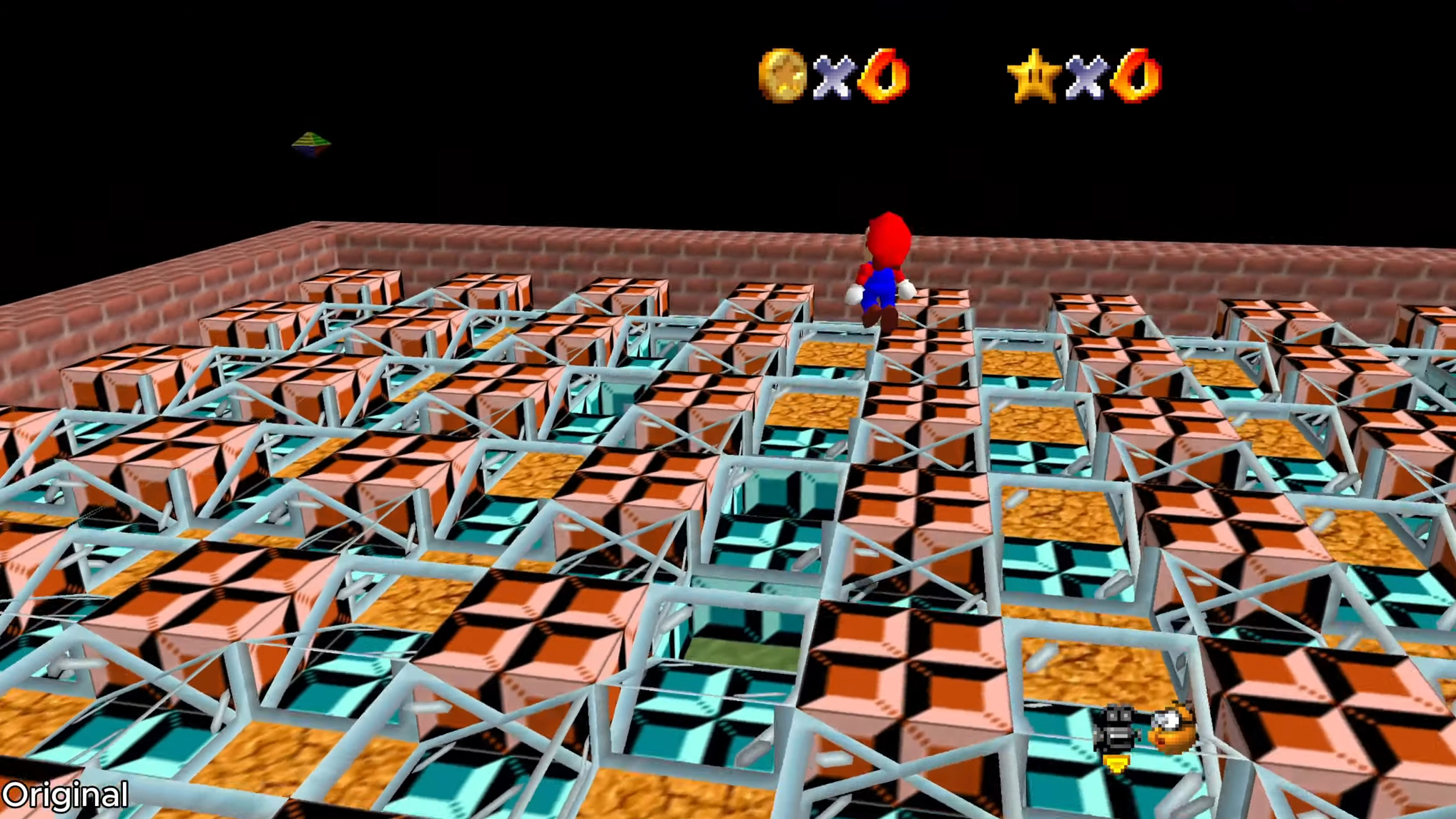
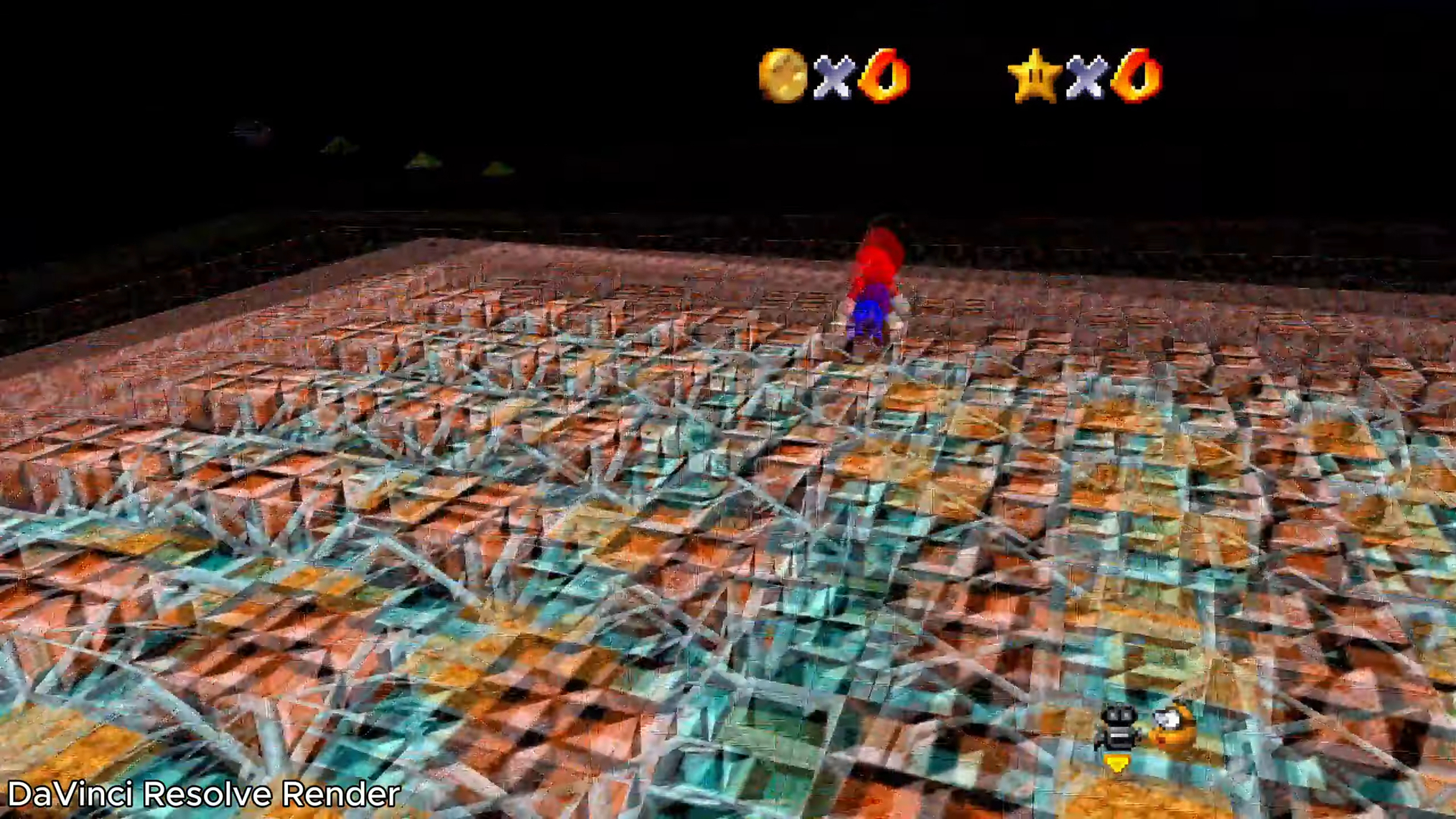
Observations:
- This ghosting does not appear in the timeline preview when editing
- Issue does not occur when rendering with a different editor like CapCut.
- The issue appears to be isolated to specific sections of my clip.
Project settings
- My source clip was recorded in OBS Studio at 30fps
- The Clip Attributes have the framerate set to 30fps.
- The project settings have Timeline Framerate set to 30fps and Frame Interpolation > Retime process set to Nearest
- I have not edited or retimed the clip in DaVinci Resolve
PC Specs
- OS: Windows 11 Home, Version 10.0.26100
- Graphics Card: NVIDIA GeForce RTX 4070 Super
- GeForce Game Ready Driver Version 576.88
Troubleshooting steps I’ve tried:
- Re-rendered clip in Capcut, then imported rendered clip into DaVinci Resolve
- Re-encoded my footage to a constant framerate with FFmpeg: (
ffmpeg -i input.mp4 -r 30 -vsync cfr output_cfr.mp4)
I found other threads describing similar issues, but none of the proposed solutions work.
Why might I be getting this ghosting effect when rendering even though frame interpolation is set to “Nearest” and I have not done any retiming?



