
I want to prepend a text before the product name is displayed. I’ve created a file product-title.phtml in my local template and referenced this in catalog_product_view.xml like so: <referenceBlock name="page.main.title"> <arguments> <argument name="template" xsi:type="string">Local/argento-stripes-custom/Magento_Catalog::product/view/product-title.phtml</argument> </arguments> </referenceBlock> Unfortunately it’s still rendering the default template title file. Magento 2.2.7 Any suggestions? Thanks, […]
Magento
9158 posts
I am setting up a migration from 1.8.1.0 to 2.2.9. All product related data has been manually set up in the new store so I would like to ignore anything product related including all the eav tables. The map.xml already contains entries like these (by default): <ignore> <document>eav_attribute</document> </ignore> <ignore> […]
I am trying to add a field to the attribute information section. This should be an text field for multistore ( just like the manage titles section). Magento version: 2.2.6 Here’s what I got now: I created a custom module. A plugin: appcodeCustomModulePluginBlockAdminhtmlProductAttributeEditTabfront.php use MagentoFrameworkDBDdlTable; class Front { /** * […]
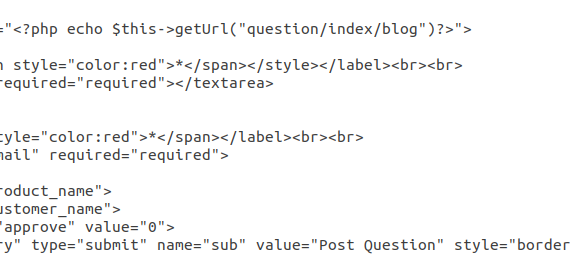
my custom_tab1.phtml my custom form is here please help me how to submit form data in custom table in magento2.3 without using objectmanager

In today’s rapidly evolving eCommerce landscape, businesses need platforms that offer flexibility, scalability, and powerful customization… Continue reading on Medium »

The Model Context Protocol (MCP) is an open standard introduced by Anthropic that allows AI assistants (Claude, ChatGPT, and others) to… Continue reading on Medium »

Essential features businesses should include when building a scalable Magento ecommerce store Continue reading on Medium »

In 2026, user expectations for lightning-fast eCommerce experiences continue to rise. Continue reading on Medium »