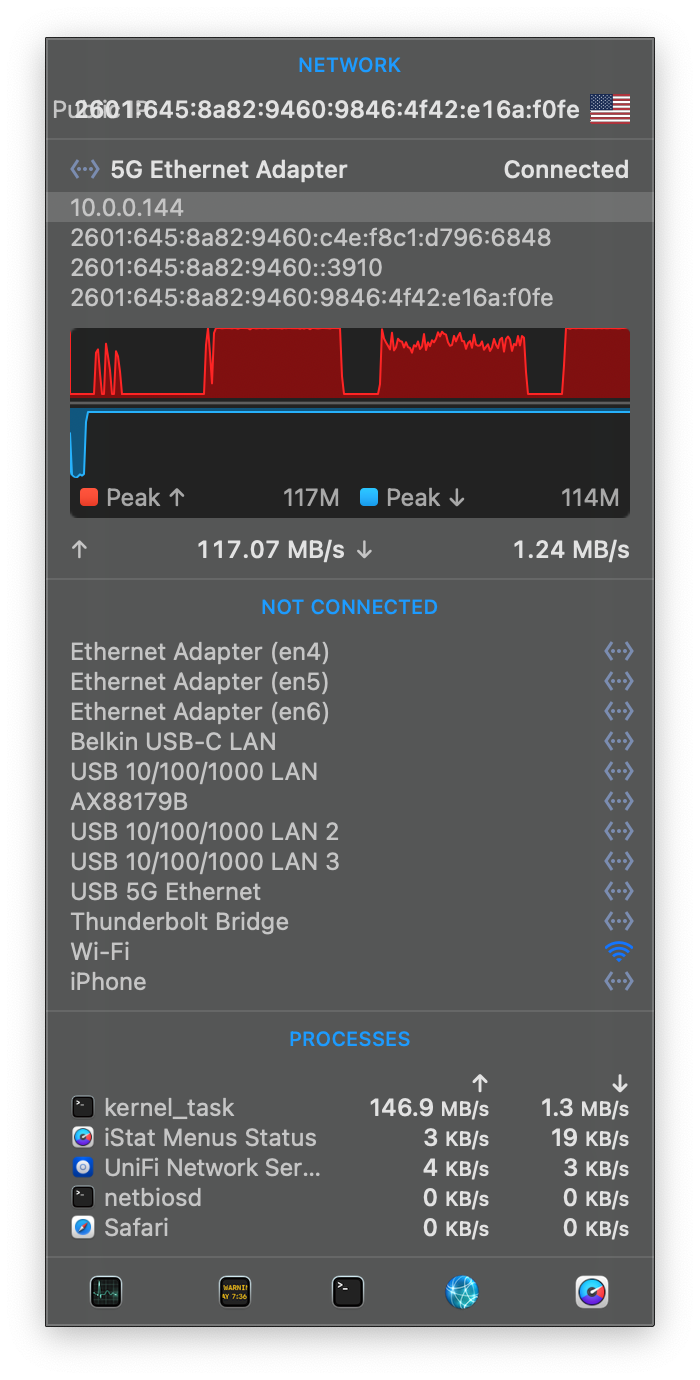
I’m test-uploading some files from my Mac to my NAS inside my local network and my upload speeds are puzzling to me. My NAS has 1GbE and my Mac has two different 5GbE USB-C Ethernet adapters, which run in 2.5GbE mode when connected to my network switch. Based on seemingly arbitrary parameters, my Mac either saturates the link (~117MB/s) or exhibits very spiky speeds averaging out to around 87MB/s. Both adapters are capable of saturating the link, but I can’t figure out what leads to saturation vs. spikes. For example, with one of my adapters, I get spikes when plugged directly into the USB-C port on my Mac, but saturation with the other adapter plugged into the same exact port. (Both adapters use the same Realtek chip.) With one of my adapters, plugging it into a USB hub leads to saturation, but plugging it directly into the computer leads to spikes. With that same adapter, if I set the network switch to 1GbE mode, the link gets saturated; but if the switch is in 2.5GbE mode, I get spikes. I’d have suspected overheating, but it’s trivial to change the configuration and immediately see a different result.
What could explain this behavior? What part of the network stack is determining whether to saturate the link or not?