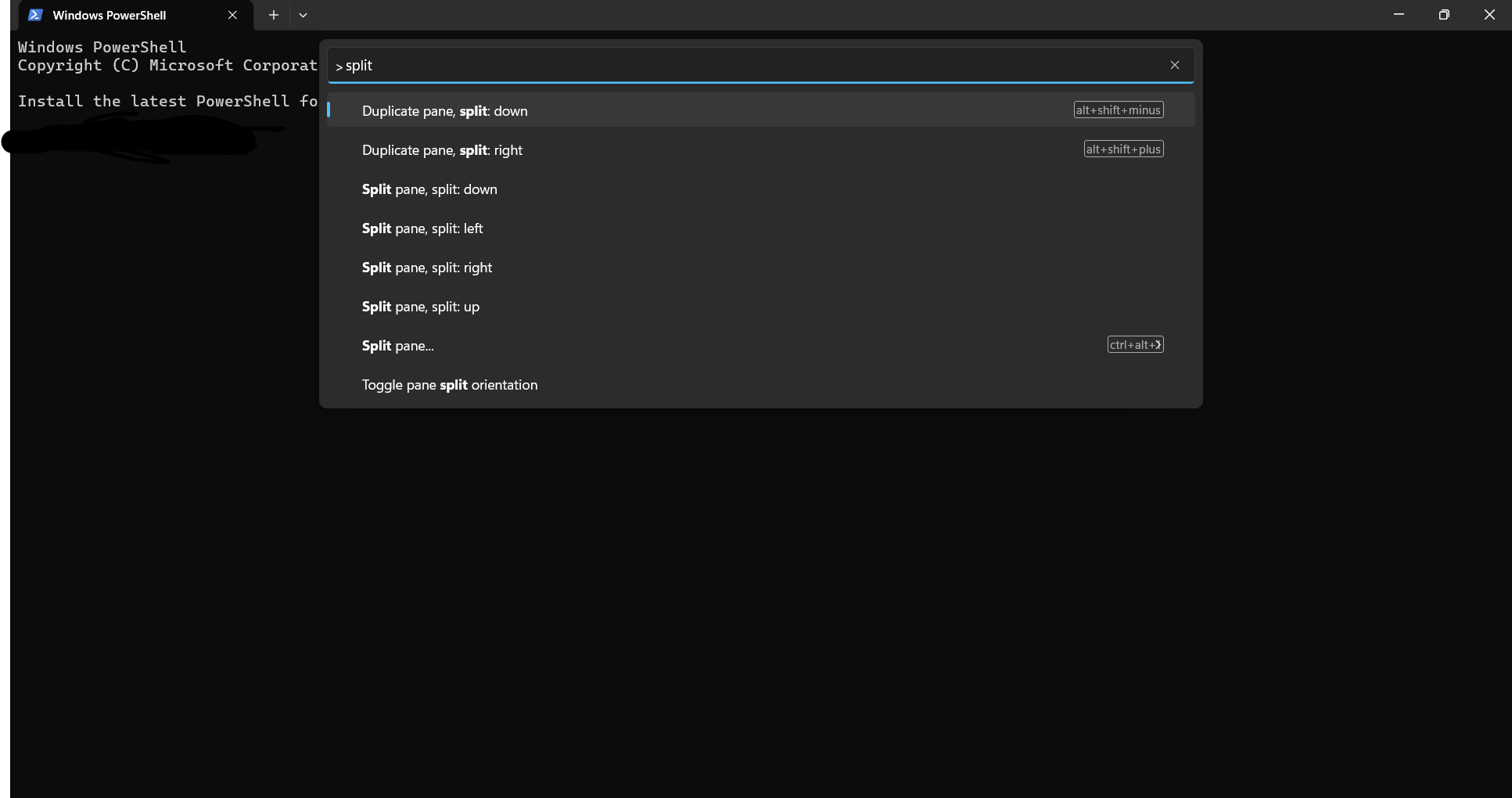
- Open Microsoft’s Terminal app.
- Press
Ctrl+Shift+Pto open the Command Palette. - Start typing
split. Split pane...will show up and shows a shortcut ofctrl+alt+????
The problem is, what is that last character? For me, it’s covered by a > where it looks like a ctr+alt + a backwards k. Maybe it’s an l, but that doesn’t work. Nothing I try works. I don’t see this information on Microsoft’s Website and can’t find any information.
Does anyone know what that shortcut is?