In most UI’s, clicking the center scroll wheel on a tab closes it. Sometime in the past 6 months, I noticed this functionality was broken in multiple UIs that utilize the same base Windows component. Because of this, I suspect Microsoft rolled out an update that broke the base Windows component in Windows 11 Pro. My current Windows version is 10.0 Build 26200.
To reproduce, open an application that supports more tabs than fit in a single window. E.g., I’ve observed this behavior in both Notepad++ and Visual Studio Code. Once there is a horizontal scrollbar that enables scrolling through the tabs, select a tab. Then scroll right or left. Then center-click one of the tabs visible on the screen. The tab immediately left of the clicked tab closes. Here is a short video clip showing the behavior in Notepad++ when I center click, but don’t release the center click button until the mouse is no longer over a tab (the tab jumping is happening on the mouse down event, but the tab close is happening on the mouse up event):
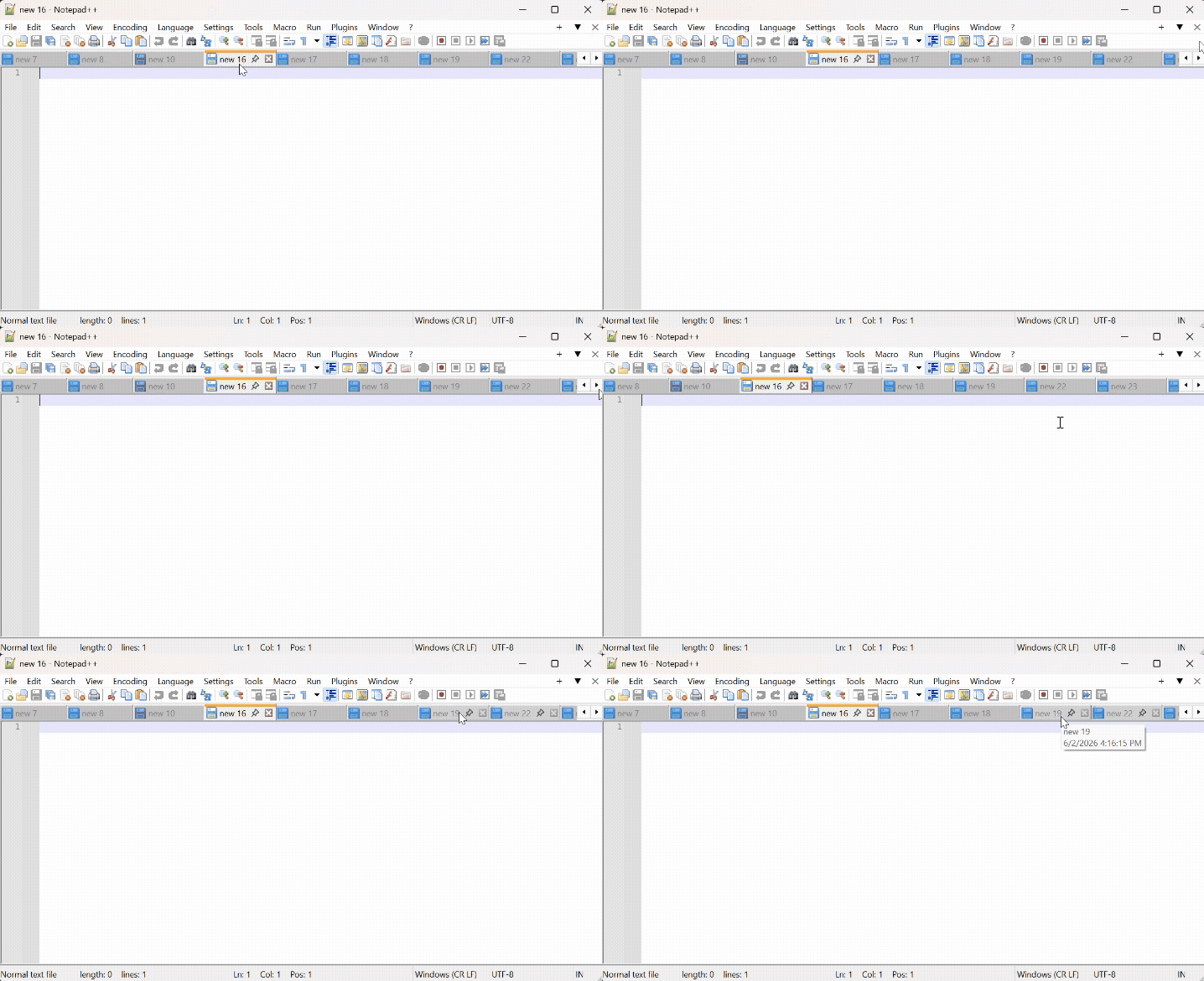
This same behavior occurs occasionally on mouse hover. I still haven’t determined the exact sequence required to cause this reliably, but it appears to be some combination of scrolling, opening new tabs, selecting tabs, and removing tabs.
This has been reproduced using multiple mice (Dell, Logitech). My computer has no mouse, keyboard, or hotkey manager installed.
This appears to be a classic off-by-one indexing error, where the Windows component is passing a 1-based index to the close handler, but that handler is treating it as a 0-based index. This is extremely annoying, and I don’t see any reported bugs or hotfixes available to patch this off-by-one indexing error in Windows. Any help finding/applying a fix is greatly appreciated.