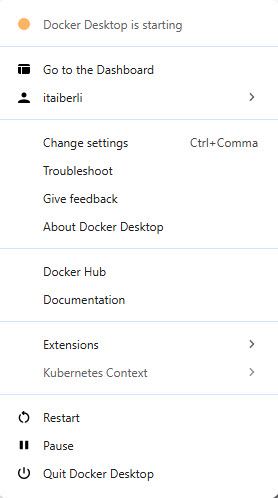
Today I installed Docker for the first time. I haven’t been able to start Docker Desktop a single time.
I have tried to start it several times, restarting my computer between attempts. I left Docker Desktop to “starting” for 10, 20, 30, 40 minutes, and it never finished..
I use Microsoft Windows 10 Pro version 10.0.19045 Build 19045, Docker Desktop version 4.72.0 (225998), and WSL version 2.7.3.0.
My hardware is Lenovo ThinkPad T440p, with the GLETA2WW (2.56 ) BIOS version.
What I tried.
I tried this solution, but couldn’t follow through because there is no “Switch to Windows containers” option on my menu.
Then I tried this solution, but I got the error message
There is no distribution with the supplied name.
Error code: Wsl/Service/WSL_E_DISTRO_NOT_FOUND
(also reported in this comment.)
Then I tried this solution. It didn’t work.
Then I tried this solution. It didn’t work. I wasn’t able to follow this solution precisely, because the solution says that after opening WSL and then Docker Desktop, I’m supposed to be prompted to start the docker engine, but I wasn’t prompted to do so. Instead, the Docker Desktop opened with the message “Starting the Docker Engine…”.
Then I tried this solution. My Hyper-V option had indeed been checked, so I unchecked it and restarted my computer, as advised. However, when I started Docker Desktop after the restart, it hung, as before.