I connect to multiple remote desktop virtual machines on a regular basis. The first time it asks me for my username/password, I click the checkbox to remember them, and it never asks me again.
Besides for one machine, I get taken to the Windows login screen and have to reenter the password. This is highly frustrating, especially as the Windows login screen does not allow copy-paste. It’s not part of a domain. Windows 2025.
What I’ve tried:
- Clearing saved credentials.
gpedit.msc: “Always prompt for password upon connection” = Disabled.gpedit.msc: “Turn on Virtualization Based Security” = Disabled.- Connecting using Username=Administrator, and also
Username=<computername>Administrator. - Disable Credential Guard (registry).
gpedit.msc: “Require use of specific security layer for remote (RDP) connections” = RDP.gpedit.msc: “Credentials Delegation” = “Allow delegating” (3 similar settings).- Create a .rdp file with
prompt for credentials:i:0. - Cnforce Network Level Authentication and also don’t enforce.
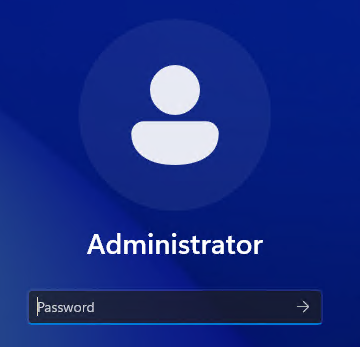
Here’s a screenshot of the login screen that I’d like to avoid: