I want to add a wsl folder to the quick access panel in the Windows 11 explorer. This was working fine under Windows 10.
I know how to add a link to the link section below like this:
$WshShell = New-Object -comObject WScript.Shell
$Shortcut = $WshShell.CreateShortcut("$env:USERPROFILELinksmyprog-linux.lnk")
$Shortcut.TargetPath = "\wsl$Ubuntu-22.04homemynamemyprog-linux"
$Shortcut.Save()
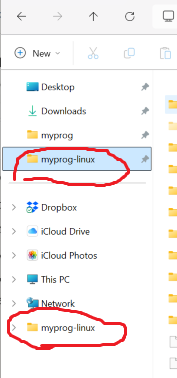
This creates the lower myprog-linux link in the screenshot. The upper one in the quick access can then be created either by right clicking on the lower link and choosing add to quick access or by just dragging the myprog-linux folder from \wsl$Ubuntu-22.04homemyname. The upper link myprog-linux is then added to quick access pane but it is not functional. I always get:
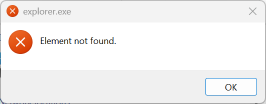
Strange is that \wsl$Ubuntu-22.04homemynamemyproglinux can be displayed in the explorer itself but it just cannot be added to the quick access what I really want.