I’m trying to install Windows 11 on my laptop from 2021.
The model of the laptop is Asus TUF FX516PM (Product page – Support page).
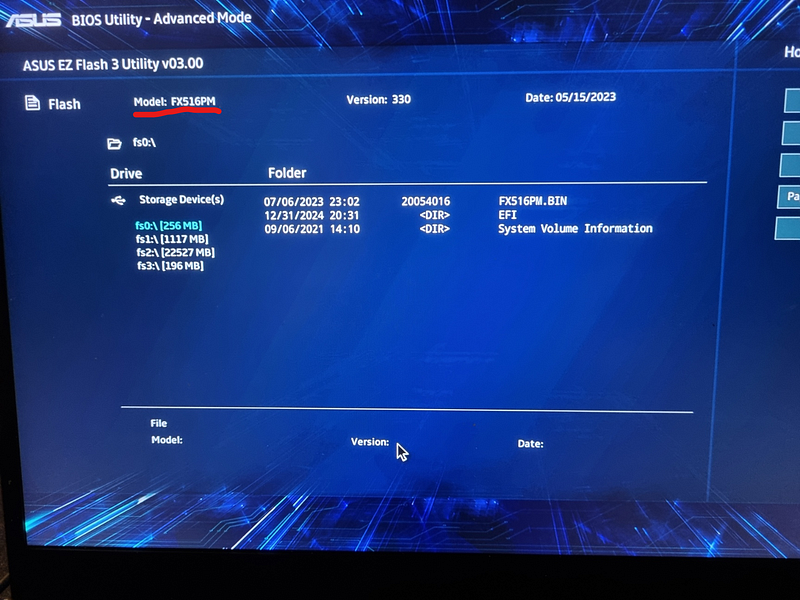
I’ve been fiddling with the bios configuration to try and install Windows 11 from a USB, like I always did in the past, and cleared my bitlocker keys from my bios. My recovery keys don’t seem to work. But none of that is a problem. I don’t need those files anyway
I installed the latest BIOS version from the linked support page (Advanced Mode (F7) > Advanced > ASUS EZ Flash 3 Utility). Then after rebooting I can still see the M.2 ssd connected
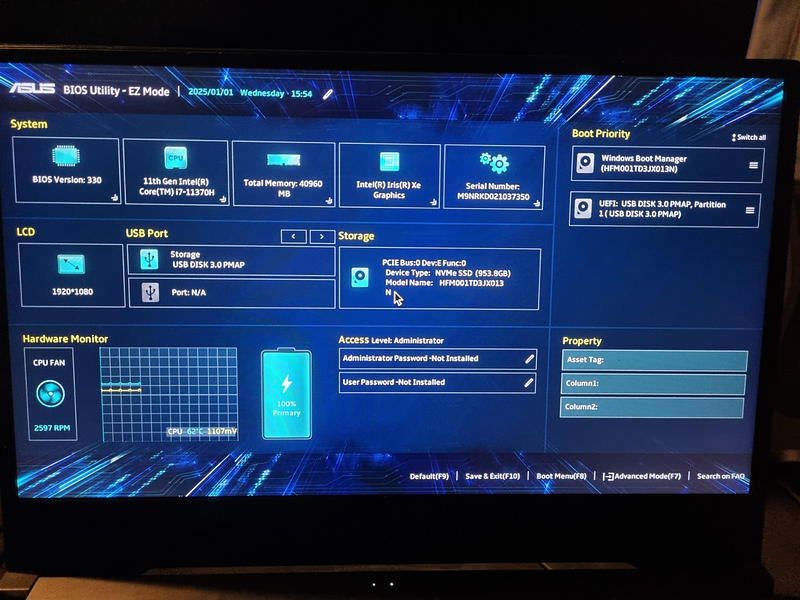
I also swapped the boot-order to have the USB drive at the top. Then I just have to reboot to start the Windows setup
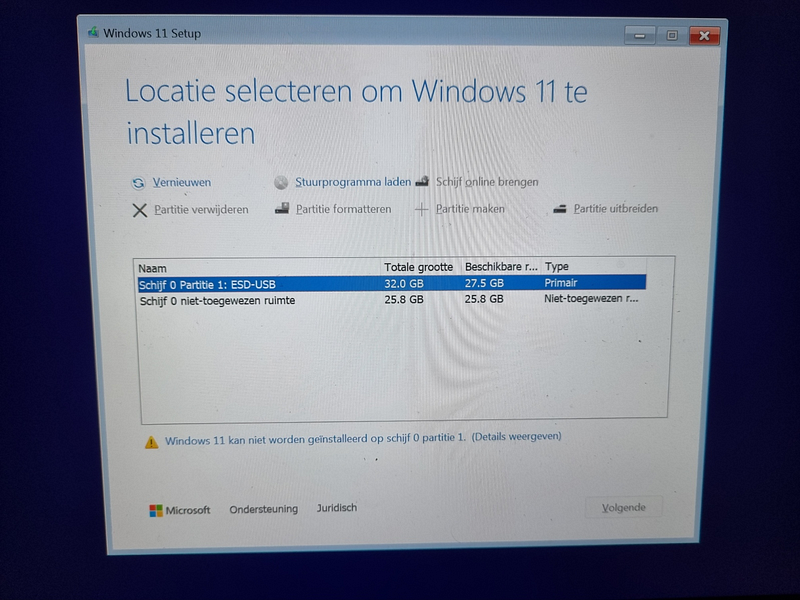
This link indicates that we need to install the Intel Rapid Storage Technology during the windows setup process. So here I downloaded the first file, and extracted it to the root of my USB-stick. I then inserted the USB into my other laptop again (Asus TUF) and booted it up:
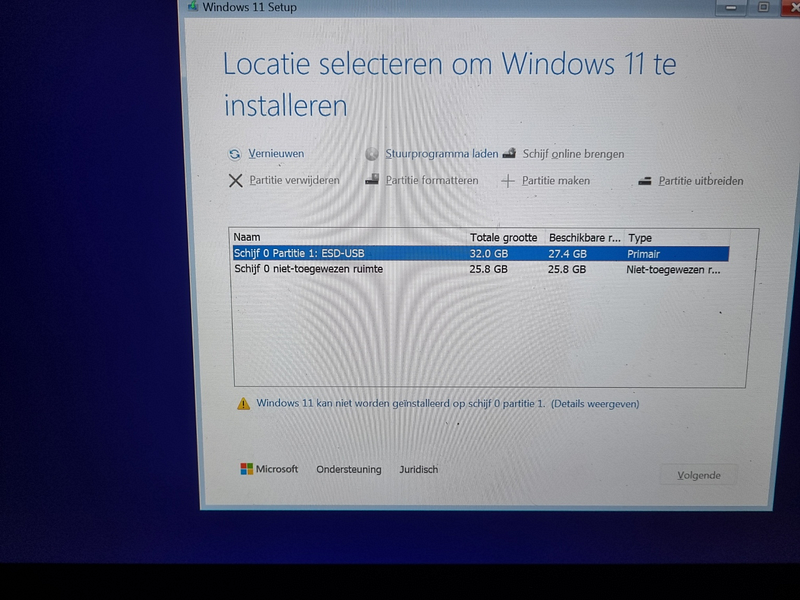
The drive isn’t found, so let’s locate the driver
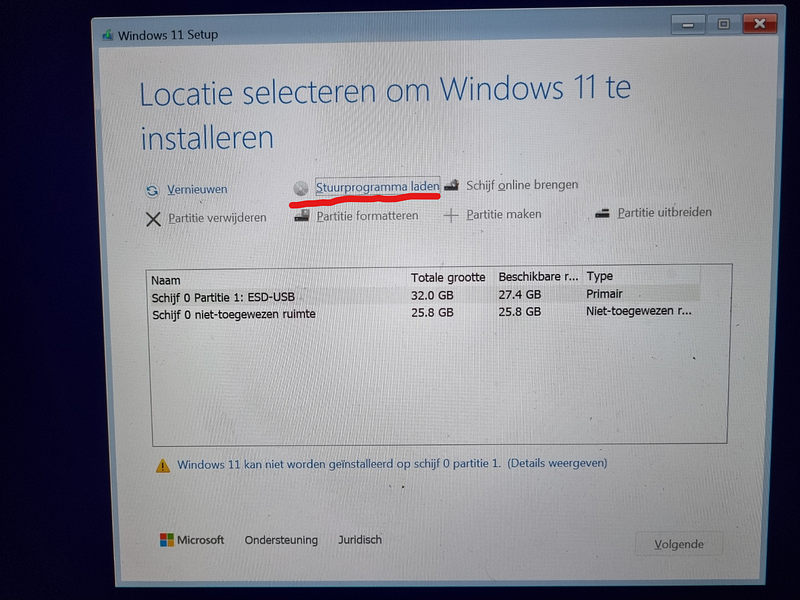
Now I navigate to the folder I put on the USB stick
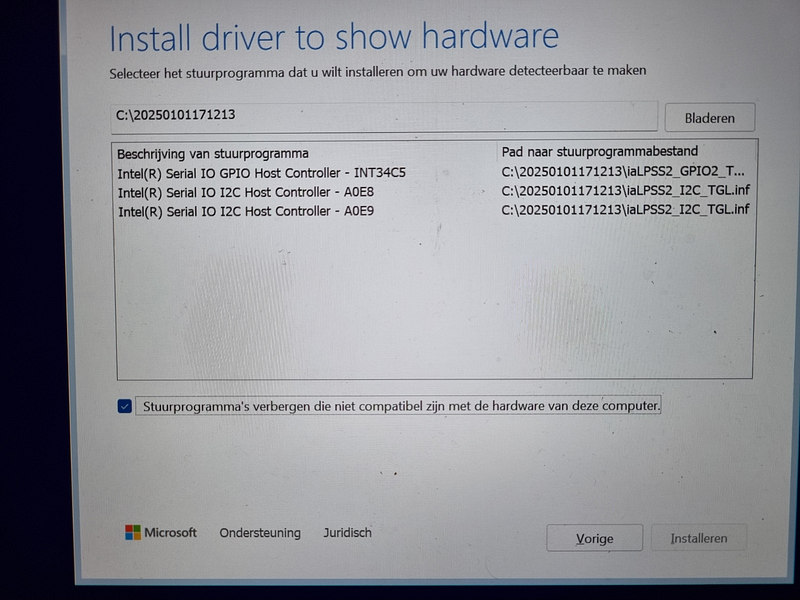
Setup finds 3 drivers for connected devices. I tried installing the drivers from the usb by selecting them in the listbox and hitting install, there’s a brief loading spinner. but the install wizard returns back to the screen I just was at. Let’s just do the same, now I end up at the wizard Licence agreement screen. Now I just navigate through the wizard again, select the folder again, and see the 3 devices again. I just select the same driver in the list, and the wizard says
Fout bij het installeren van het stuurprogramma
Error installing the driver
I also checked this answer, but I seem to have a lot less options then listed there. For example under Advanced > VMD setup menu > I only see the option “Enable VMD controller” and nothing else. Also tried by resetting the bios and doing it over.
I also tried with 3 different M.2s in total with the same result (of which Samsung PRO 990 – 2TB and the 980 500GB too).
Did anyone experience this too? How can I solve this? I’ve done this stuff a dozen times in the past and was always able to just insert the usb-stick in the laptop and boot it up, select the drive. From my bios I can confirm the drive is detected (930 GB), but it doesn’t show up in the list for some reason. Any help would be appreciated.
Related questions I checked:
- Windows 11 Setup does not recognize NVMe drive in ASUS laptop S513E
- Asus Z690-PLUS WiFi – NVMe RAID drives not showing up s boot device and can’t enable XMP
I’ll have to study these some more but I already wasted 2 days on this without success.
