I’ve noticed that for some reason Windows sometimes breaks certain applications or causes text to display incorrectly, especially after changing some system settings. For example, I live in Finland and I like to reinstall Windows every now and then, about once every couple of years. I’ve noticed that occasionally text in some applications (like VLC) appears in bold or with heavy outlines.
I’m not exactly sure what causes this issue, but I’ve experienced it since Windows 7 up to the current versions. My guess is that changing the region settings or system locale might break something, but I’m not entirely certain.
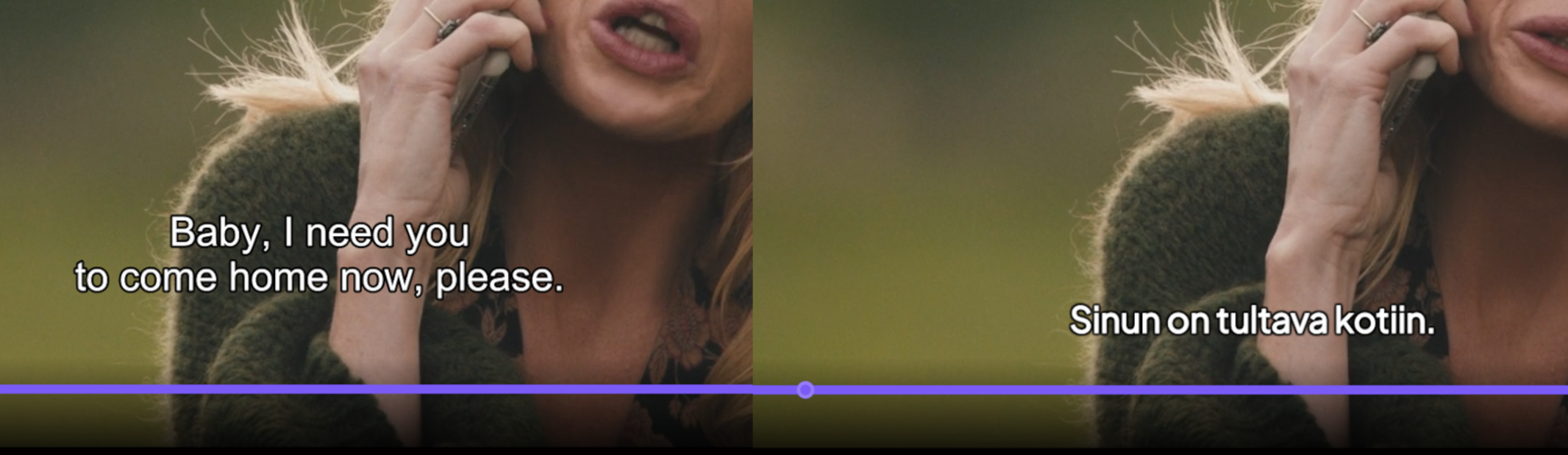
For instance, in VLC, when you open a video, the filename briefly appears at the bottom of the window. If you open a downloaded movie, you might see something like “The.Movie.2017.4K.HDR.mkv”, but the text appears in bold or with incorrect styling. Subtitles (.SRT files) also show up fully bold or with thick outlines.
This issue seems to affect all Windows applications, so I’m quite sure it’s something caused by Windows itself.
I’m still not entirely sure what exactly causes it. Even if I revert the settings back to the original values, the issue often remains, and sometimes the problem doesn’t appear at all even after changing those same settings.
I don’t actually use VLC myself, I mainly use Stremio. So I’m looking for help specifically with Windows settings or something more “under the hood” in system files or the registry. I believe the issue could be fixed by adjusting certain Windows parameters or registry values.