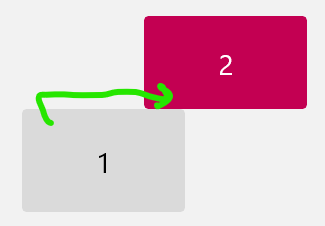
I have an external monitor connected to a Windows 11 laptop in this staggered configuration that makes it possible to push the laptop to the back of the desk and use both screens and the laptop keyboard.
What is maddening is that if I miss the tabs or menus at the top of the laptop screen #1, the mouse moves to screen #2 and the round trip to find the cursor and put it back is maddening.
How can I get the mouse to move only through the region where the screens abut as shown?