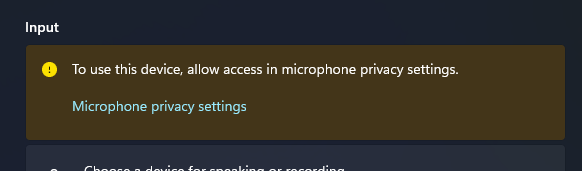
The microphone and webcam on my Windows 11 PC recently stopped working. My sound settings say I need to allow access to the device in microphone privacy settings, but trying to open the microphone settings causes the settings app to crash. In fact, selecting any option under Settings > Privacy & security > App permissions causes the window to crash.
Information/Things I tried
- OS is Windows 11 Home 25H2 (20200.8457)
- This drive was previously having boot issues before being repaired with
chkdsk. (CrystalDiskInfo says disk health status is at 86%) - Running
DISM /Online /Cleanup-Image /CheckHealthand/ScanHealthshows “The component store is repairable. The operation completed successfully.“ - Running
DISM /Online /Cleanup-Image /RestoreHealthfails with “Error: 0x800f0915 The repair content could not be found anywhere. Check the internet connectivity or use the “Source” option to specify the location of the files that are required to restore the image.“ - Running
reg.exe add "HKLMSOFTWAREMicrosoftWindowsCurrentVersionCapabilityAccessManagerConsentStorelocation" /v Value /d Allow /fhad no effect (source) - Running “Fix problems using Windows Update” under “Settings > System > Recovery” did not fix the issue.
How can I fix my settings crashing whenever I open App Permissions? And how can I fix the microphone permissions?
