I have a Debian 13 Trixie KDE installation on a virtual server (libvirt/QEMU) and use the builtin VNC server:
<graphics type='vnc' port='5900' autoport='no' listen='10.18.0.51' keymap='de' passwd='...'>
  <listen type='address' address='10.18.0.51'/>
</graphics>
While I can use [AltGr] which gives me a @ for [AltGr]+[q] in TigerVNC, in MobaXterm that does not work, it would always result in q:
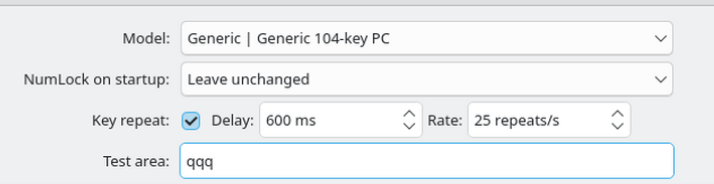
I also tried turning off “Use new embedded VNC engine” in MobaXterm, but no success.
The keyboard layouts are both DE (German) on my Desktop PC and the Debian server.
I really don’t know what I’m doing wrong.