
In this third article in our Accelerating the Cloud series, we explore a checklist of items to consider before redeploying applications. Continue reading Accelerating the Cloud: Transitioning to Cloud Native on SitePoint.
Daily Archives: May 26, 2023
11 posts
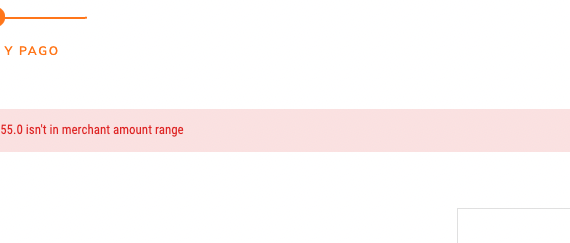
I am using Magento 2.3.5 and i need to show the error message on checkout page inside the payment method component, how can achieve that? Actually shows this way I want to to show that message between the line and the image and text.(Inside payment method)
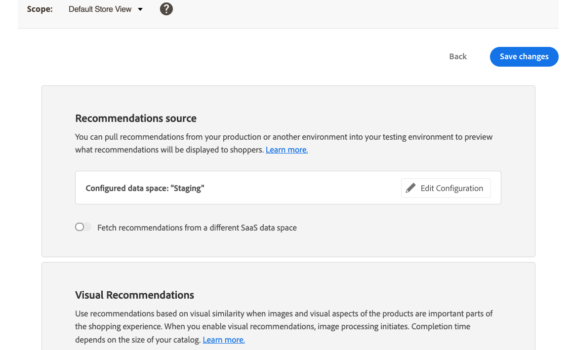
I would like to test one of the product recommendation scenarios locally. Can I run it in my local environment with HTTPS and the keys pointing to my staging server data source?

I’m creating a new widget which can be added to a cms page in admin, i have all the fields defined and it adds the widget to the page, but i need to load in some custom jquery so i can attach some events to the form fields. So here […]
i have tried to run magento upgrade and deploy and flush command i am getting the below error. https://i.imgur.com/gcMP1m1.png Fatal error: Uncaught TypeError: Argument 1 passed to ZendServiceManagerServiceManager::has() must be of the type string, array given, called in /home/public_html/vendor/zendframework/zend-servicemanager/src/ServiceManager.php on line 283 and defined in /home/public_html/vendor/zendframework/zend-servicemanager/src/ServiceManager.php:695 Stack trace: #0 /home/public_html/vendor/zendframework/zend-servicemanager/src/ServiceManager.php(283): […]
So, I’m new to OPNsense and networking in general, so I apologize if I’m missing something obvious. I’m running OPNsense and created my first VLAN on interface ix3 and have that going to a managed QNAP QSW-M2106-4C. On ix3, I have the CIDR as 192.168.185.1/24 and created a VLAN on […]
sudo hydra -L /users.txt -p /rockyou.txt -u -f 157.240.254.174 -s 443 http-post-form “/https://www.instagram.com:username=^USER^& enc_password=^PASS^:F=<from name=’LoginForm'” from entering the text above I keep receiving the error “[ERROR] the variables argument needs at least the strings ^USER^, ^PASS^, ^USER64^ or ^PASS64^: //www.instagram.com” can anyone correct this for me I’m lost
I am running the script below to keep my computer from going to sleep: set wsc = CreateObject("WScript.Shell") Do 'Five minutes WScript.Sleep(5*60*1000) wsc.SendKeys("{NUMLOCK 2}") Loop I am trying to change the key to replace the key to be sent form NumLock to F8 but no matter what I put in […]