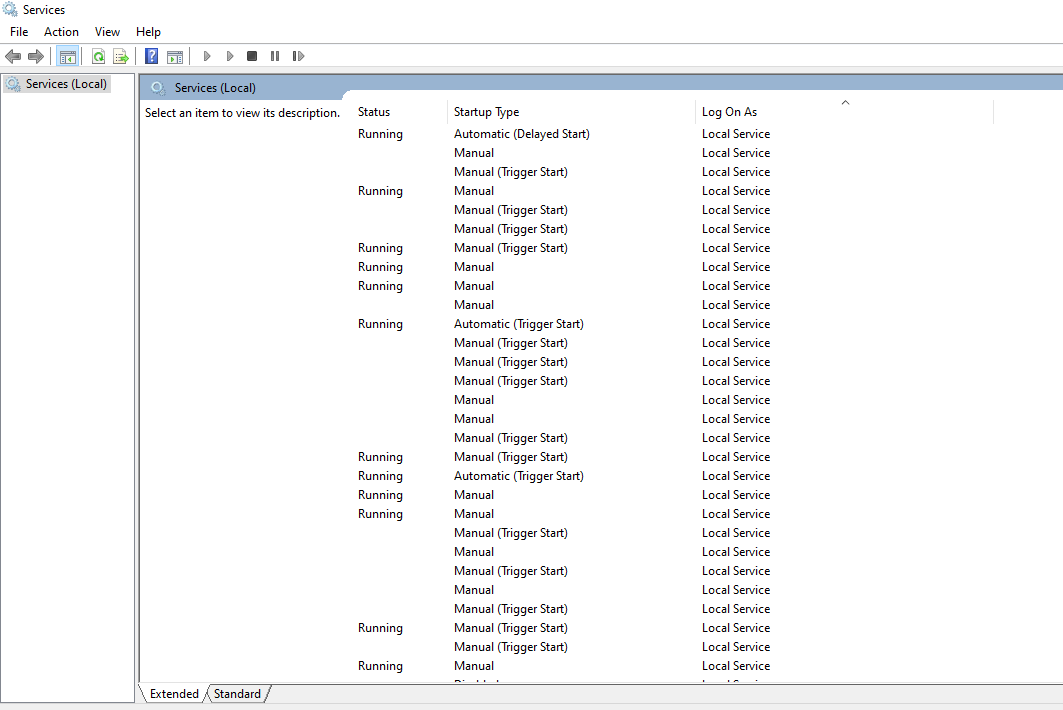
Question: Why Services console (services.msc) not showing service name column in its services list – how can we fix the issue?
Details:
As shown below, the extended tab of the Services console (services.msc) all of a sudden stopped showing service Name and Description columns. I tried right clicking on other column’s headers to see if there is an option to make the other columns visible but right click does not show any menu. Some online search suggests running regsvr32.exe jscript.dll and regsvr32.exe mmcndmgr.dll command as an administrator and re-open the console – but it did not work.