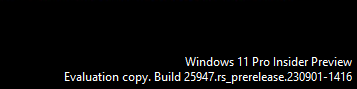
I run an instance of Windows Server 2025 Core and I want to manage its firewall using a different machine with a GUI.
I’ve disabled the firewall on the core machine temporarily:
Set-NetFirewallProfile -Name Domain,Public,Private -Enabled False
Also, the rule for Windows Defender Firewall remote management is enabled anyway.
Both machines are joined to the same domain.
- The windows firewall service (
mpssvc) is running. - The IPSec Service is running.
- Remote registry is running.
- Remote management is enabled.
- The machines are able to ping each other.
These are both fresh installs of Windows Server 2025 Datacenter (Desktop) and Windows Server 2025 Datacenter.
When I run mmc, and then add the Windows Defender Firewall with Advanced Security snap-in, I get this:
“There was an error opening the Windows Defender Firewall with Advanced Security snap-in.
The specified computer could not be remotely managed. Ensure that you are not trying to connect to a remote computer with an earlier version of Windows. Also, ensure that the Windows Defender Firewall rule for firewall remote management is enabled on the remote computer and that both the IPSec Service and the Windows Defender Firewall service on the remote computer are running. Error code: 0x6dD9.”

This exact approach worked in Windows Server 2022, so something changed in Windows Server 2025.
Some things I’ve tested:
Test-NetConnection -ComputerName TARGET -Port 135is functional, so RPC is reachable.Get-WmiObject -Class Win32_OperatingSystem -ComputerName TARGETis functional, so DCOM is reachable.
Is it possible to use mmc to configure Windows Firewall remotely in Windows Server 2025? If yes, how?