I have a fresh offline-only internet-airgapped windows 10 22h2
And I need to create a symbolic link using mklink as a regular user.
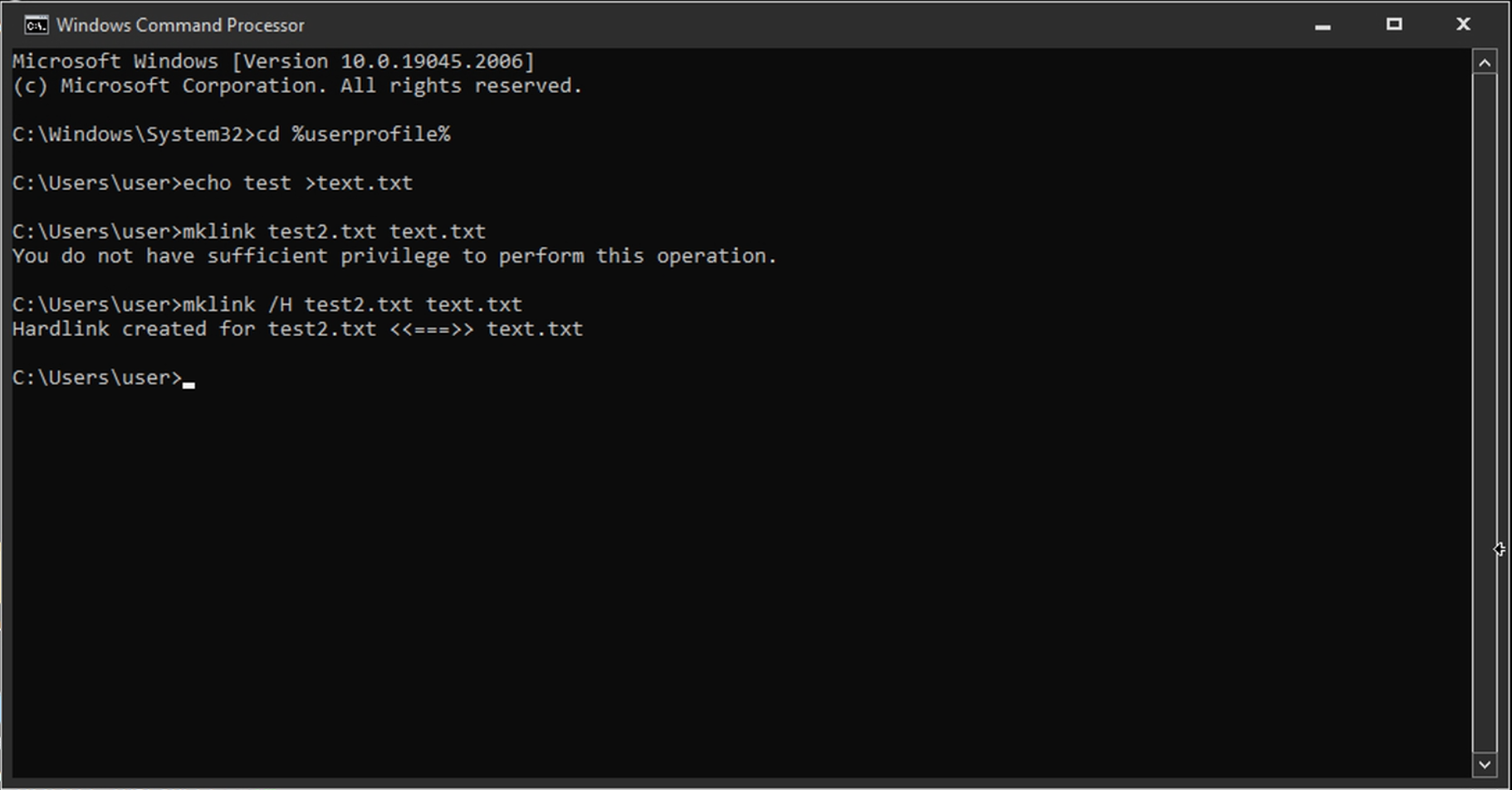
How can the administrator grant the symbolic creation privilege to a user, using the command line (for configuration automation)
I have consulted several pages on this and could not find a straight answer.
- mklink demands administrative privileges despite secpol.msc’s “create symbolic links” permission being set and despite running cygwin’s editrights
- https://community.spiceworks.com/t/whoami-priv-question/944153/4
- https://security.stackexchange.com/questions/10194/why-do-you-have-to-be-an-admin-to-create-a-symlink-in-windows
- Create Symbolic Link as Regular user
Some suggestion that these are part of LSU privileges
SeCreateHardLinkPrivilege
SeCreateSymbolicLinkPrivilege
But I could not find clear confirmation…
The Scoop installer on this topic, suggest to enable Dev mode, which is too broad of a privilege for my taste.
https://github.com/ScoopInstaller/Scoop/issues/6378
So I did some more research and found these commands .. should ? work ?

And here are the actual commands, run as administrator
secedit /export /cfg "%TEMP%secpol.txt"

type "%TEMP%secpol.txt" | findstr /i link

powershell -NoProfile -Command "$u=whoami;$p=$env:TEMP+'secpol.txt';$c=Get-Content $p;$c=$c|%{if($_ -match '^SeCreateSymbolicLinkPrivileges*=' -and $_ -notmatch [regex]::Escape($u)){$_+','+$u}else{$_}};Set-Content $p $c"

type "%TEMP%secpol.txt" | findstr /i link

secedit /configure /db C:WindowsSecurityLocal.sdb /cfg "%TEMP%secpol.txt" /areas USER_RIGHTS
This should work, but:

It still does not work…


