Issue: I want to edit an existing Word template *.dotx file, and I am unable to.
What I did: I created a *.dotx file by right-clicking on “This Document’s Style Set” in the Design tab > Save > Save as Type > Word Templates ( *.dotx)
Note: I did it that way because:
- from an existing there is no “Save As” available (see image 1)
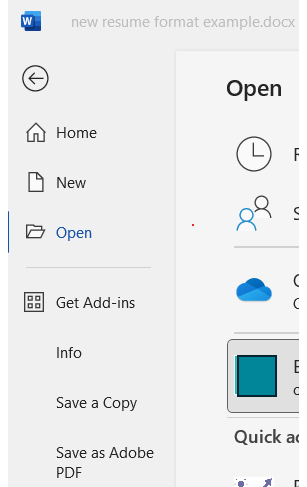
- from a blank document, there is no “save as a specific file type” available to me (see image 2)

What I tried: When I try to open an existing Word template *.dotx file by double clicking in Windows 11 Explorer, it opens a blank document with no custom styles saved.
When I try File > Open in an existing Word .docx document, there is no option to open by type, and when I navigate to the *.dotx file location, there are no *.dotx files displayed – only .docx files.
(Note: There is a similar question on 4/21/22 but that solution did not solve my problem)
![main.CRITICAL: SQLSTATE[HY000] [2002] Connection refused](https://www.rubin.com.np/wp-content/themes/customizr/assets/front/img/thumb-standard-empty.png)