I have an Ubuntu virtual machine that is taking up 100+ gigabytes of storage, for what I assume is actually closer to 20 gigabytes of files on the VM.
Here is the properties dialog for the / directory, where it shows 114 GB used at the bottom, but the contents at the top shows 15.9 GB.

Properties Dialog, contents total at 15.9 GB, but used space shows 114.1GB
Most other places in the UI also show significantly less than 100 GB used, but the whole system acts as though the disk is almost full. The Disks application shows 24.3 GB used as below.
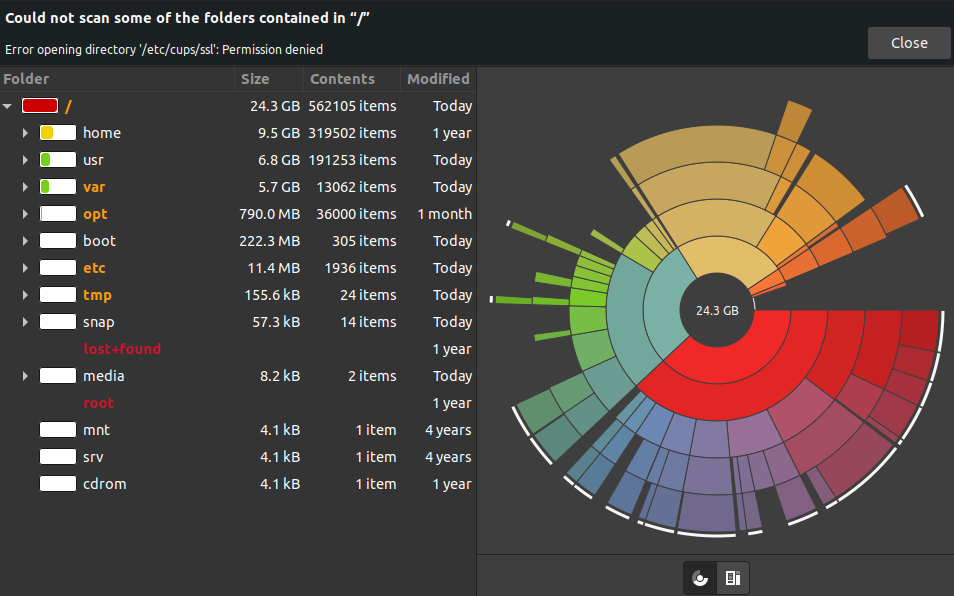
Disks application showing 24.3 GB used storage
I don’t think I have any snapshots, but the hard disks tab shows one of the VDIs at 92 gigabytes. I am not sure if its a cache or something that keeps piling up, backups etc.

Properties of the machine, showing base and current state

Hard disks tab, top VDI 23.19 GB, middle 4.28GB bottom 92.18 GB
This forum post makes me hesitant to delete the wrong VDI (https://forums.virtualbox.org/viewtopic.php?t=92034) however in most of my research I am seeing things that have to do with snapshots, but as far as I can tell I don’t have any.
If its a cache or backups is there a way to safely reduce the size without losing my current state? and if I can reduce the size, is there some setting I can use to keep the size down?
