I’m converting an old program to run on a ATMega256 using a W5500 for ethernet connection.
The old program used a serial port to communicate with a PC, and I need to port the communication to a TCP connection (it will be a local LAN with just the PC and the device)
The protocol is just made by ASCII strings, the PC sends a string, the device answer to it, an so on.
My problem is that i need to debug what’s sent and what’s answered, but using Wireshark i’m not able to see the strings contained in the TCP messages sent.
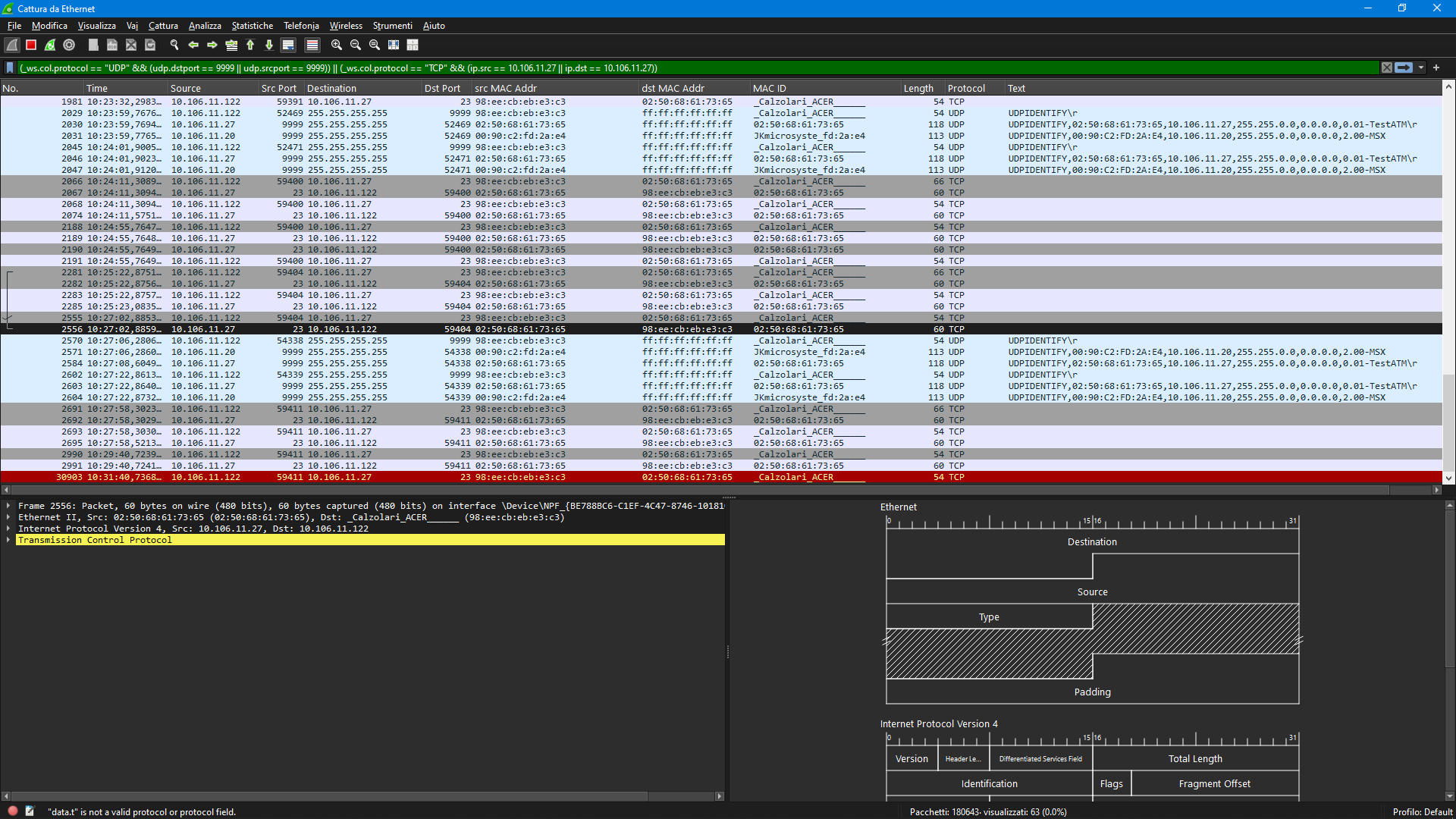
In the screenshot I can see the text contained in UDP packets (which are the initial “handshaking” to detect if there’s devices on the LAN) but i can’t find a way to show in the same column the strings contained in the TCP messages.
I’m pretty ignorant about Wireshark, but i remember being able to do that some years ago (or, at least, the values were just already there): there was a “Data” section under the “Transmission control protocol” one.
How can i show the TCP data as text in a column?
![What are the time characteristics of common computer system operations? [closed]](https://www.rubin.com.np/wp-content/themes/customizr/assets/front/img/thumb-standard-empty.png)