I’m getting this very strange error on powershell where the term powershell can’t be found. I’ve been trying to run commands to fix other errors but I can’t run them because of this error. I couldn’t find any other posts on how to fix this either so hopefully if this gets solved this will help some people out there with this issue. I’m running powershell 5.1
Here’s a screenshot:
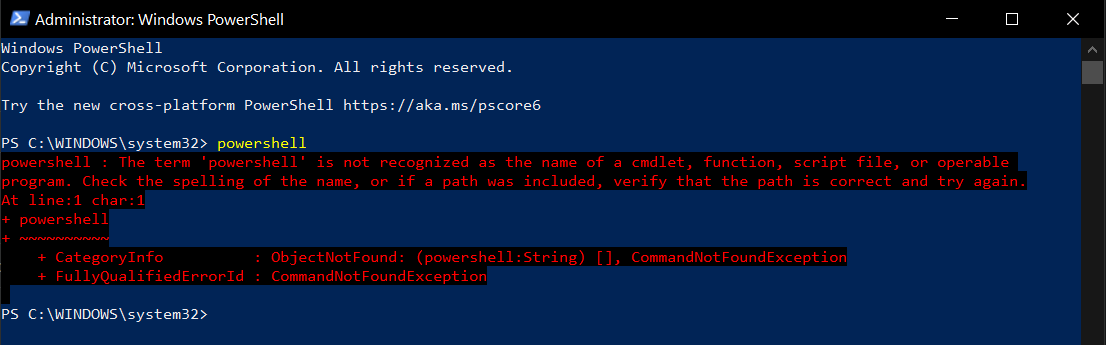
I also got the same error trying this on a brand new user account.
I ran “where powershell” in cmd as admin and it returned “Could not find files for the given pattern(s).”
I ran Get-Command powershell.exe in powershell as admin and it returned:
Get-Command : The term ‘powershell.exe’ is not recognized as the name of a cmdlet, function, script file, or operable
program. Check the spelling of the name, or if a path was included, verify that the path is correct and try again.
At line:1 char:1
- Get-Command powershell.exe
-
  + CategoryInfo          : ObjectNotFound: (powershell.exe:String) [Get-Command], CommandNotFoundException
  + FullyQualifiedErrorId : CommandNotFoundException,Microsoft.PowerShell.Commands.GetCommandCommand
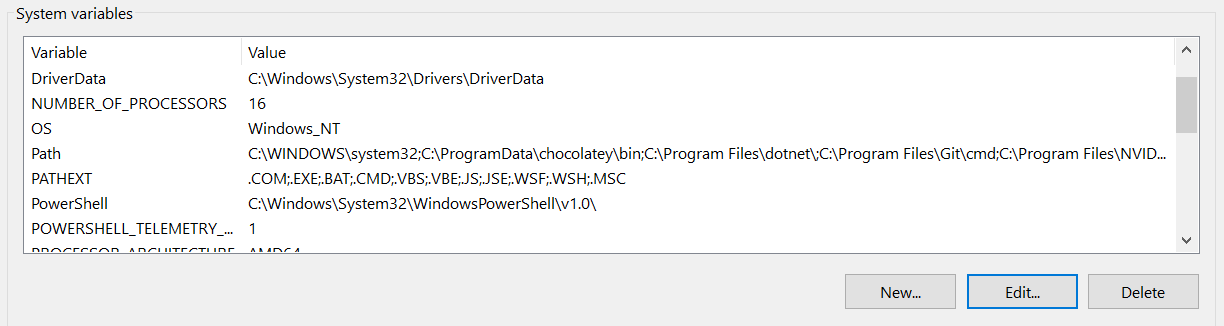
I also have C:WindowsSystem32WindowsPowerShellv1.0 inside of system variables.