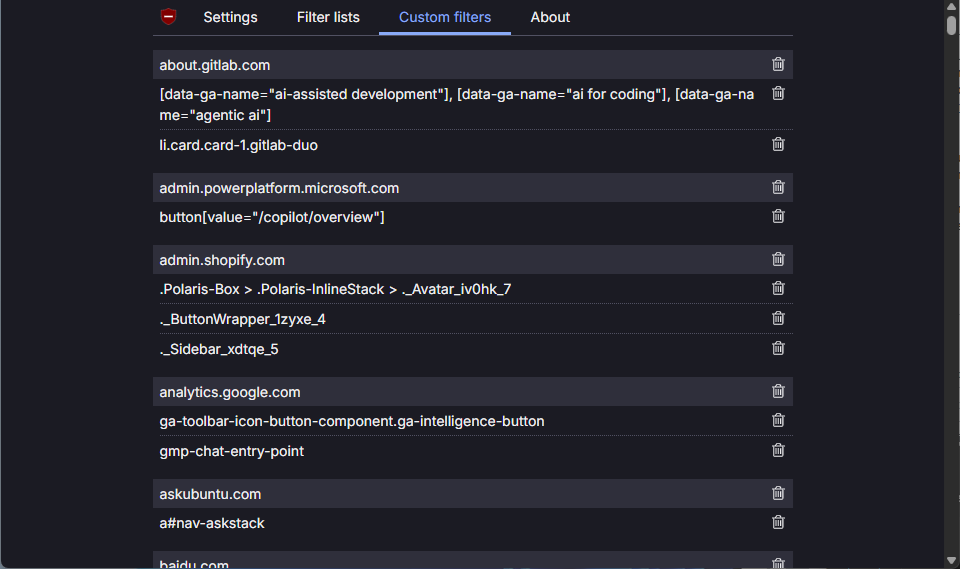
I maintain a custom filter list for uBlock Origin. The list is primarily intended to be used with the the full version of uBlock Origin for Firefox and Microsoft Edge, but it can also be used with uBlock Origin Lite for Google Chrome by manually importing the rules into “Custom filters” in the uBlock dashboard.
The issue is that, since the filter rules get imported manually, there’s no way to auto-update them. In order to test updates, I need to remove all existing custom filters then reimport the full filter list.
In uBlock Origin I would be able to highlight all the rules and hit backspace. However, the uBlock Origin Lite dashboard doesn’t have the rules in an editable text field, nor do I see an option to clear all custom filters at once.
I can remove rules on a per-site basis using the trash can icon, but my filter list has rules for over 80 different sites which makes updating time consuming, both for me when testing changes and for any users that want to update.
Is there a faster way to remove all custom filters in uBlock Origin Lite at once? For example, is there a configuration file I can erase to clear the filters?